Unlock Your 7-Day Free Trial with Free Credits!
Get Started for Free



Meta Business Agent for WhatsApp Business API
September 29, 2026
.
Anya Sam . 10 min read

Meta Business Agent can handle WhatsApp Business API customer conversations using business-trained knowledge and instructions.
Key takeaways:
- Features: The agent supports custom Knowledge, Skills, Connectors and human handoff.
- Setup: GreenAds Global, an official Meta partner, can configure the Business Manager account needed for the setup.
- Controls: Businesses can choose who receives AI replies, limit usage and restrict specific words.
- Testing: Agent Test checks individual conversations; Agent Eval measures performance of conversations and returns detailed reports against predefined criteria.
- Pricing: The document lists a rate of 2 USD per million tokens, with an estimated cost of 4–5 US cents per message. This is not a fixed per-message price - the actual cost depends on the complexity of the conversation.

Customers do not wait for business hours. They ask questions, check products, track orders and look for support whenever they need it. With the release of Meta’s AI agent - Meta Business Agent, businesses stay available for every customer, in every moment.
Meta Business Agent turns a WhatsApp Business API number into an AI-powered customer conversation channel. Instead of relying only on predefined chatbot flows, businesses can configure an AI agent that understands customer questions, responds using business knowledge, follows defined instructions, connects with external systems and hands conversations to human agents when required.
The agent automatically detects the customer’s language and responds accordingly, while businesses remain in control of what it knows and how it responds through custom FAQs, documents, websites and product data. Prior to its functioning, businesses can define how the agent should behave using Skills and extend what it can do through Connectors that link it with external systems such as CRMs, order-management platforms and booking systems.
1. Who Is Eligible for Meta Business Agent ?
Before activating Meta Business Agent on a WhatsApp number, the number must first meet Meta’s six eligibility requirements. In practice, this means the number should be connected to a WhatsApp Business account that satisfies the below conditions :
- Operates in a supported business category. Meta currently excludes Finance, Government, Health, Alcohol, Gambling, over-the-counter drugs and matrimony services.
- Uses the WhatsApp Business Platform through the Cloud API, either directly, through a BSP or via Embedded Signup (and not the WhatsApp Business app).
- The WABA and the business that owns it must free from WhatsApp restrictions or bans.
- The business must be registered in a country where Meta Business Agent is available.
- Must satisfy Meta’s business trust and verification criteria.
- The phone number must not already be connected to another incompatible messaging product.
To check eligibility, use Meta’s Agent Eligibility API with the WhatsApp Business Phone Number ID; it returns true if Meta Business Agent can be enabled on the number and false if it is not currently eligible.
2. Technical Setup - Connect the WhatsApp Business account to Meta Business Agent
The setup follows several steps.
In short,
1. Enable Meta Business Agent
2. Set up billing
3. Create System User
4. Give it access to App + WABA
5. Generate secure Access Token
6. Connect Meta App with WABA
7. Configure Webhooks
8. Enable it for customers (ensure testing before using it in customer conversations)
For most businesses, this basic understanding is enough to get started. However, if you would like to understand how Meta Business Agent connection works in more detail, the following sections provide a deeper explanation.
Step 1: Enable Meta Business Agent
Open WhatsApp Business Manager account, select the correct WABA and complete the Meta Business Agent setup.
The setup is technical, which is why GreenAds Global, an Official Meta Solution Partner and WhatsApp API provider for AI automation, can guide and assist you throughout the process of creating the Business Manager Account needed for the setup.
Step 2: Set Up Billing
Add a valid payment method in the Meta Billing Hub.
Available payment methods:
- Meta Credit Line — available to eligible businesses with monthly invoicing, as of August 1, 2026.
- Visa / Mastercard credit or debit card — available to all businesses from September 8, 2026.
Step 3: Create a System User
Go to Meta Business Settings → Users → System Users and create a new System User.
This gives your software its own secure Meta identity. Think of it as a digital employee account for your system, so it can work with Meta without using a person's personal login.
Step 4: Assign the App and WABA
Open the System User, click Assign Assets, and assign the required Meta App and WhatsApp Business Account (WABA).
This tells Meta exactly which app and WhatsApp account the System User is allowed to access and manage.
Step 5: Generate the Access Token
Generate an access token for the System User with:
- whatsapp_business_messaging
- Whatsapp_business_management
The access token works like a secure digital key. Your backend uses it to prove to Meta that it has permission to access and manage the WhatsApp account.
Step 6: Subscribe the App to the WABA
Connect the Meta App to the WhatsApp Business Account using:
POST /<WABA_ID>/subscribed_apps
Verify it using:
GET /<WABA_ID>/subscribed_apps
This connection tells Meta which application should receive updates and events from the WhatsApp Business Account.
Step 7: Subscribe to Required Webhooks
In Meta Developer Portal → WhatsApp → Configuration, subscribe to:
- messages
- standby
- messaging_handovers
Webhooks are how Meta notifies your system when something happens in a conversation—such as a new message, Meta Business Agent activity, or a handoff between AI and a human agent.
3. Agent Configuration - Building the Intelligence
This is what turns Meta Business Agent from a basic AI responder into an operational WhatsApp agent that understands the business, follows defined rules, interacts with business systems and works alongside human teams.
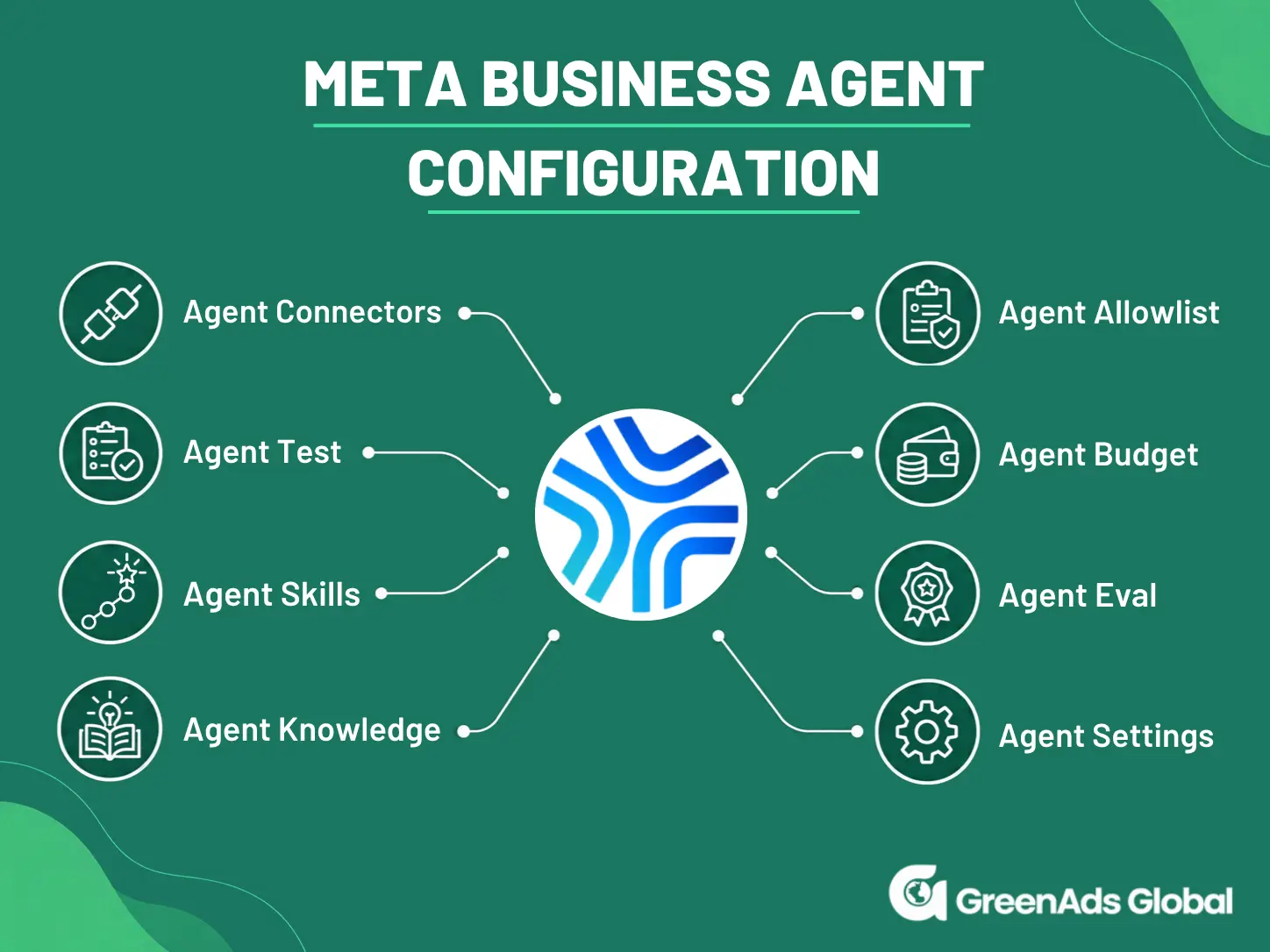
1. Set the Agent's Operating Controls
Before activating the agent, businesses can define some basic boundaries around how it should operate.
Agent Budgets let businesses control the budget set aside for their Meta Business Agent.
If it reaches its limit, Meta will hand new conversations to the human support until the budget resets.
- What to limit (unit_type) — Choose whether you want to limit AI token usage or the number of AI replies/turns in a conversation.
- For how long (time_window) — Choose the period you want to measure: 1 day, 7 days, 14 days or 30 days.
- How much to allow (max_budget) — Set the maximum token usage allowed during that period.
Agent Allowlist - Before opening the AI agent to every customer, businesses can restrict it to selected users.
When the AI Audience is set to ALLOWLISTED_ONLY, the Business Agent responds only to customers who have been added to the allowlist.
This is particularly useful during testing and controlled rollouts before enabling the agent for everyone.
2. Onboard and Configure the Agent
Once the Meta Business Agent is onboarded, Agent Settings controls how it operates with customers.
Businesses can choose to make the agent available only to selected customers before opening it to everyone and can define specific words or phrases that the agent should never use, helping maintain brand and compliance requirements.
Before a wider rollout, Agent Test can be used to simulate real WhatsApp conversations and verify how the agent responds. This allows businesses to test and refine the agent before making it available to customers.
Meta states that AI tokens used through Agent Test are not billed.
3. Give the Agent Business Knowledge
Agent Knowledge determines what the Business Agent knows and what information it can use when answering customers.
Meta provides several ways to build this knowledge.
- Business Information: Start by providing the essential information customers commonly ask about, such as the business description, contact details, purchase information, delivery and shipping and return or refund policies. This gives the agent a reliable foundation for answering general business questions.
- FAQs: Add approved answers to frequently asked customer questions. FAQs can be easily updated or removed as the business, products or policies change.
- Files: For information that is too detailed to maintain as individual FAQs, businesses can upload documents such as product guides, policy documents and manuals directly to the agent’s knowledge base. Meta supports multiple common file formats.
- Websites: Businesses can also provide website URLs for the Meta Business Agent to crawl and use as a knowledge source. The agent can learn from the entire website or only selected subdomains, or individual pages, giving businesses control over which website content becomes part of its knowledge.
4. Define How the Agent Should Behave with Skills
Skills tell the agent how to behave in particular situations, what tone to use and what steps or actions it should follow.
For every Skill, you can define 3 things : what the Skill is for, when the agent should use it and how the agent should respond or behave.
For example, a Return Request Skill could instruct the agent to first understand the customer's issue, check the applicable return policy, collect the required information, and hand the conversation to a human when necessary.
Since Meta Business Agent supports rich media, Agent UI Skills define when and how the agent should use rich WhatsApp message components instead of relying only on plain-text responses. These can include buttons, images, carousels, lists, locations, and WhatsApp Flows.
5. Connect the Agent to Business Systems
Connectors allow Meta Business Agent to communicate with external business systems and APIs.
This is what allows the agent to move beyond simply answering questions and start performing useful actions.
A Connector can be defined by what the system allows the agent to do and a Base URL (where Meta should connect to the external API).
For example, connecting an order-management system could allow a customer to ask: “Where is my order?”
Instead of giving a generic response, the Business Agent can retrieve the customer's actual order information from the connected delivery system.
6. Evaluate the Agent Before Going Live
Agent Eval provides a more structured way to measure how well the agent performs across predefined customer scenarios and success criteria.
It can simulate and evaluate multiple conversations, provide conversation and turn-level scores, show transcripts and failure reasons and highlight areas that need improvement.
With both Agent test and Agent Eval - it can get confusing - here’s how they are different , best understood with the use-cases below :
Agent Test helps you inspect specific conversations, while Agent Eval assesses performance across predefined customer scenarios and success criteria.
Agent Test: Check how the agent handles a specific conversation
Best used for checking individual responses, testing configuration changes and troubleshooting specific problems.
Agent Test lets you send test messages without a real customer’s phone number and receive the agent’s response directly.
(Tokens consumed while testing through this endpoint are not billed)
This helps you check how the agent uses Knowledge, Skills, Connectors and conversation context, including whether it recognises when human assistance is needed.
Agent Eval: Measure performance across different customer situations
Best used for structured quality checks, identifying recurring problems and evaluating improvements before or after launch.
Agent Eval runs simulations using configured customer conversation scenarios and evaluates the conversations against their success criteria.
Agent Eval can return evaluation scores, conversation transcripts, reasons for the assessment and recommended actions. Its combined report can include average conversation and turn-level scores, a performance summary and the main failure categories.
4. Industry use-case
For example, consider a car rental company that wants to use Meta Business Agent to handle customer enquiries on WhatsApp. Here’s what would be needed to make the agent work effectively.
The first step would be to configure Skills - for example, a vehicle-rental Skill that tells the agent how to collect pickup and return dates, confirm booking details and decide when to hand the conversation to a human. FAQs can provide reliable answers about driver requirements, insurance, fuel and cancellation policies, while the product catalog can contain vehicle classes, rates and other product information.
The company’s website pages covering locations, protection and support can also be added to the agent’s Knowledge. More importantly, a Connector can link the Business Agent to the live reservation system, with tools for actions such as searching available vehicles, creating a reservation and checking an existing reservation. The customer’s WhatsApp phone number can be passed to the connected system to help identify the customer and retrieve the relevant booking.
Before launch, the complete journey can be tested across scenarios with Agent Eval such as missing travel dates, alternative vehicle classes, no availability, successful bookings, booking lookups and out-of-scope requests. This ensures the agent knows when to answer from Knowledge, when to query the reservation system, when to perform an action and when to hand the conversation to a human.
5. What is the price of Meta Business Agent ?
For eligible businesses using Meta Business Agent directly in the WhatsApp Business app, Meta is currently offering free usage for a limited time.
When businesses first activate the Meta business Agent in the WhatsApp Business app, the agent displays the message:
“You’ve got free Meta Business Agent usage for a limited time. Later you’ll get notified about how to upgrade for more usage and features.”
Pricing for the WhatsApp Business app was discussed during Meta’s Q2 2026 meeting, where the company stated: “We plan to begin charging businesses for Meta Business Agent usage through a mix of subscriptions and volume-based token pricing.”
For Meta Business Agent activated in the WhatsApp Business App, the subscription aspect applies.
For Meta Business Agent configured for WhatsApp Business API , the token subscription aspect applies.
Meta Business Agent messages are treated as a separate category, with messages charged on a per-token basis.
- Marketing, utility and authentication messages are used to reach customers. These are template messages charged on a per-message basis.
- Service and Meta Business Agent messages are used to respond to users. These are non-template messages, with service messages charged per message and Meta Business Agent messages charged per token.
Effective August 1, Meta plans to charge for Meta Business Agent messages on a per-token basis, with a single token-based charge covering both AI agent processing and message delivery.
[[cta]]
Meta’s published rate is USD 2 per 1 million tokens.
Meta estimates that a typical Business Agent message consumes around 20,000 – 25,000 tokens, which works out to approximately USD 0.04– 0.05 per message. However, 4–5 US cents is an estimate, not a fixed per-message price.
The actual cost depends on the complexity of the response. A simple answer may use fewer tokens, while a personalised product recommendation that requires catalogue browsing and more context may use more.
The important point to understand from the beginning is that Meta Business Agent is being treated as a new WhatsApp message category. Marketing, utility and authentication messages are for business-initiated outreach, while service and Meta Business Agent messages are for responding to users.
Traditional WhatsApp messaging uses per-message pricing, while Meta Business Agent uses token-based pricing.
In a simple example provided by Meta
(3P AI --> Third party AI)
What Meta is trying to communicate
The comparison shows two possibilities:
- A third-party AI can be cheaper if it uses a simple AI model.
- A third-party AI can be more expensive if it uses a sophisticated AI model.
Meta is positioning its Business Agent at approximately USD 40–50 per 1,000 messages in this example. The selling point is not that Meta Business Agent is always the cheapest, but that its combined AI and WhatsApp cost is competitive with comparable high-complexity AI solutions.
In practical terms, Meta has provided three examples of how usage and costs can differ:
1. Quick resolution
3 messages × ~5¢
≈ USD 0.15
This represents a relatively short interaction.
2. Product discovery
6 messages × ~5¢
≈ USD 0.30
This conversation requires more interaction.
3. Purchase journey
12 messages × ~5¢
≈ USD 0.60
The customer has a longer conversation involving product discovery and purchase assistance.
To see how the charges apply at each stage of this journey, let’s look at an example of how the business and its agent interact with a customer:
The business reaches out with a marketing message: “We have a special offer on our products.” This is charged per message.
The customer starts asking questions, such as “Which product would you recommend?” The agent then provides product recommendations. This is charged per token.
The customer completes the purchase, and the business sends a utility message: “Your order has been confirmed.” This is charged per message.
6. Conclusion
With Meta Business Agent for WhatsApp Business API, you can tailor the agent to your business.
Agent Knowledge gives it your product information, FAQs and policies.
Agent Skills guide how it speaks, handles requests and follows the steps your business needs—not just a standard reply for every customer.
Connectors take this further by linking your CRM, booking platform or order-management system. So when someone asks, “Where is my order?”, the agent can check their actual order instead of explaining your delivery policy.
And when a request needs a person, human handoff gives it a route to your team.
The aim is not simply to add AI to WhatsApp. It is to build an agent around your business, so being outside your working hours does not have to mean being out of reach.
If your business is looking for a WhatsApp API provider for AI automation, GreenAds Global can help you connect the WhatsApp Business API with Meta Business Agent, business knowledge, external systems and human support workflows.
See how CRM events become customer communication
Open each workflow to see the trigger, live-data check, communication action and stopping condition.
New lead qualification
Abandoned cart follow-up
Appointment communication
Payment or renewal reminder
Should the next message still be sent?
Open a customer state to see how current CRM or commerce data should change the workflow.
Lead is already qualified
Customer completed the purchase
Appointment was cancelled
Payment is complete
₹ 899
₹ 2,249
₹ 3,149
$30
$50
Frequently Asked Questions
1. What is Meta Business Agent for WhatsApp Business API?
Meta Business Agent is Meta’s AI agent for managing customer conversations on the WhatsApp Business Platform, also known as the WhatsApp Business API. It uses business information and a configured knowledge base to answer customer questions. With the appropriate integrations, it can connect to external systems to perform tasks, such as checking order details. When needed, it can also hand conversations over to human sales agents.
2. How is the API version different from Meta Business Agent in the WhatsApp Business App?
Meta Business Agent is set up directly within the WhatsApp Business App, while the API version requires a technical integration with the WhatsApp Business Platform. The API setup involves configuring business knowledge, agent instructions, system integrations and conversation routing.
The API version also offers more advanced capabilities and greater control, including the ability to manage Meta agent token usage, choose which conversations the agent is activated in, test and evaluate its performance using features such as Agent Test and Agent Eval.
3. How is Meta Business Agent different from WhatsApp chatbot ?
A rule-based WhatsApp chatbot follows predefined conversation flows configured by the business. Its strength lies in predictability, consistency and precise control, making it well suited for structured conversations.
Meta Business Agent, on the other hand, understands context, interprets customer requests, and responds using business knowledge and instructions it has been trained on. Its strength lies in flexibility, allowing it to handle varied questions, adapt to the conversation and offer more personalised guidance without requiring a predefined path for every interaction.
The right choice depends on whether the business handles routine enquiries or more open-ended conversational experiences.
4. How to set up a Meta business agent on WhatsApp Business API ?
The setup is technical, which is why GreenAds Global, a WhatsApp API provider for AI automation, can guide and assist you throughout the process of creating the Business Manager Account needed for the setup. Having supported businesses such as Kalyan Silks and Renault with WhatsApp Business solutions and implementation, we begin by understanding your business, customer conversations and specific requirements before configuring and training the Meta Business Agent to fit your business use case.
In short, the process covers enabling Meta Business Agent, billing setup, System User creation, App and WhatsApp Business Account (WABA) access, secure access token generation, App - WABA connection, webhook configuration and final test before activation.
Before going live, we test the agent with real-world scenarios based on your business requirements, refine its responses and behaviour, and only then make it live for customer conversations.
5. Can Meta Business Agent connect to my CRM, booking system or order-management system ?
Yes. Connectors allow Meta Business Agent to communicate with external business systems and APIs. For example, a Connector could allow the agent to retrieve live order information, check availability, look up a reservation or perform another supported action through the connected system.
6. How much does a WhatsApp AI agent cost for WhatsApp Business API ?
Effective August 1, Meta plans to charge for Meta Business Agent messages on a per-token basis, with a single token-based charge covering both AI agent processing and message delivery.
Meta’s published rate is USD 2 per 1 million tokens.
Meta estimates that a typical Business Agent message consumes around 20,000–25,000 tokens, which works out to approximately USD 0.04–0.05 per message. However, 4–5 cents is an estimate, not a fixed per-message price.
The actual cost depends on the complexity of the response. A simple answer may use fewer tokens, while a personalised product recommendation that requires catalogue browsing and more context may use more.
7. What is the pricing for Meta Business Agent ?
Effective August 1, Meta plans to charge for Meta Business Agent messages on a per-token basis, with a single token-based charge covering both AI agent processing and message delivery.
Meta’s published rate is US$2 per 1 million tokens.
Meta estimates that a typical Business Agent message consumes around 20,000–25,000 tokens, which works out to approximately US$0.04–$0.05 per message. However, 4–5 cents is an estimate, not a fixed per-message price.
The actual cost depends on the complexity of the response. A simple answer may use fewer tokens, while a personalised product recommendation that requires catalogue browsing and more context may use more.
8. Can I control how Meta Business Agent responds to customers ?
Yes. You can guide how Meta Business Agent responds using Skills, which define its behaviour, tone, and the steps or actions it should follow in specific situations. For each Skill, you can specify what it is for, when the agent should use it, and how the agent should respond or behave.
For example, a Return Request Skill could instruct the agent to understand the customer’s issue, check the applicable return policy, collect the required information, and hand the conversation over to a human when necessary.
You can also use Agent UI Skills to define when and how the agent uses rich WhatsApp message components—such as buttons, images, carousels, lists, locations, and WhatsApp Flows—rather than relying solely on plain-text responses.
9. Can I test Meta Business Agent before it responds to all customers ?
Yes. Before a wider rollout, Agent Test can be used to simulate real WhatsApp conversations and verify how the agent responds in different scenarios. This allows businesses to test and refine the agent before making it available to customers. Meta also states that AI tokens used through Agent Test are not billed.
10. Can Meta Business Agent transfer a WhatsApp conversation to a human ?
Meta Business Agent supports human handoff for conversations that need additional assistance. It can automatically initiate a handoff when it has low confidence, detects an integrity violation or a customer asks to speak with a human. Once your team has finished assisting the customer, the app can release control, allowing Meta Business Agent to resume responding automatically.
You may Also like
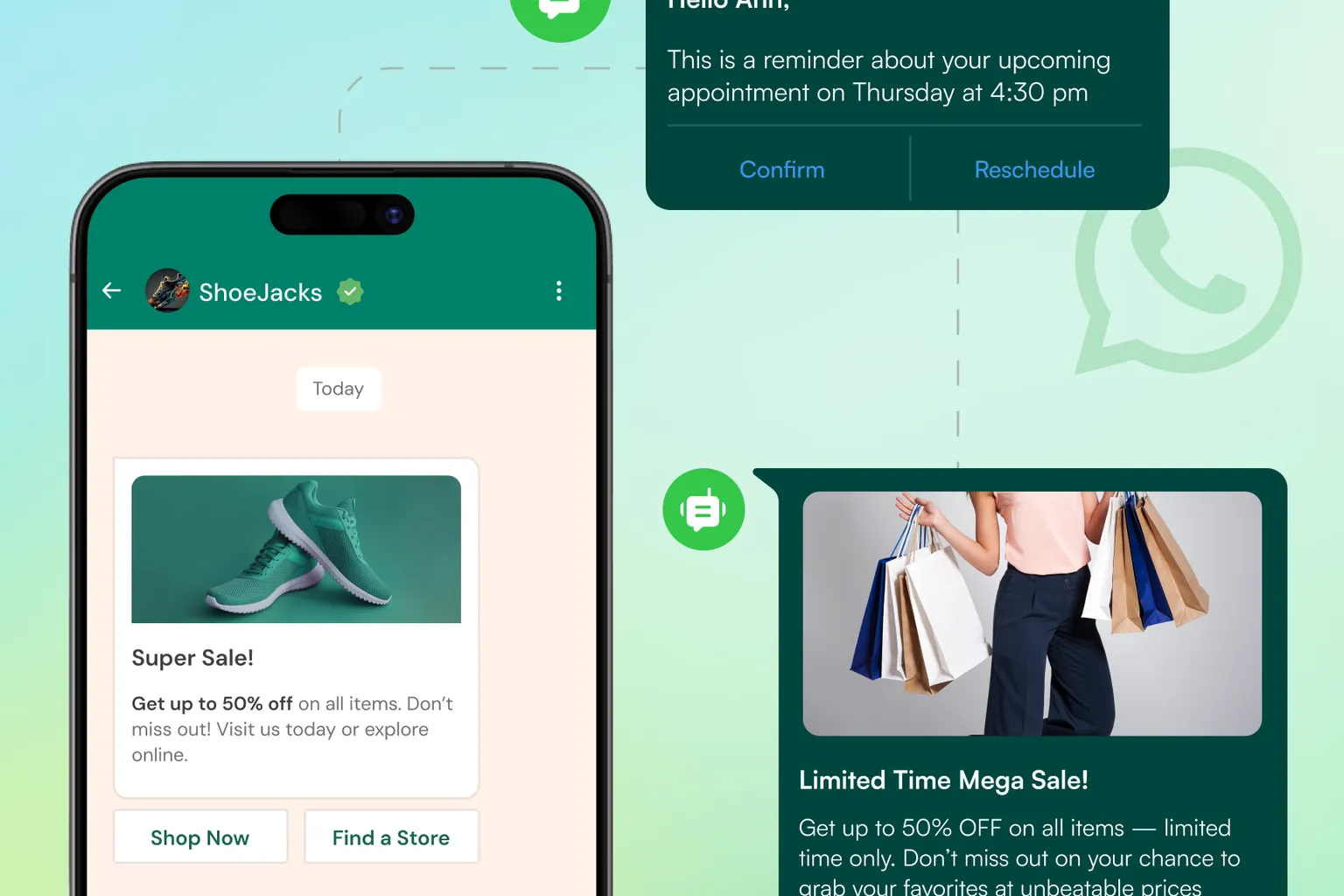
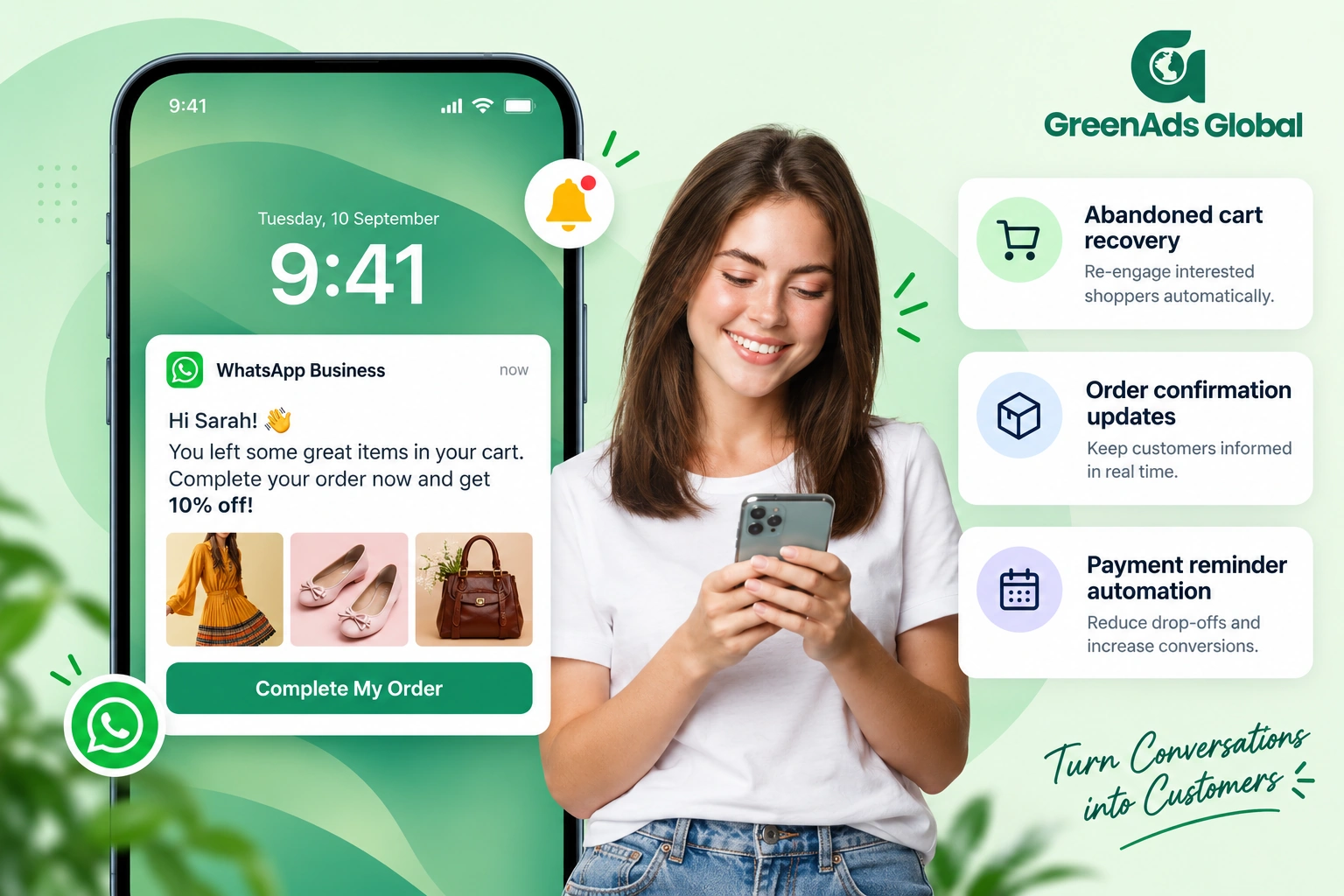
Book a One-to-One Meeting With Our Product Expert
Have questions? We have got answers! Connect with our product expert for a personalized demo session and discover the best messaging solutions for your business.
.svg)
