Unlock Your 7-Day Free Trial with Free Credits!
Get Started for Free


Multichannel Messaging Campaign Examples: WhatsApp, RCS & SMS Customer Journeys
October 16, 2026
.
12 min read
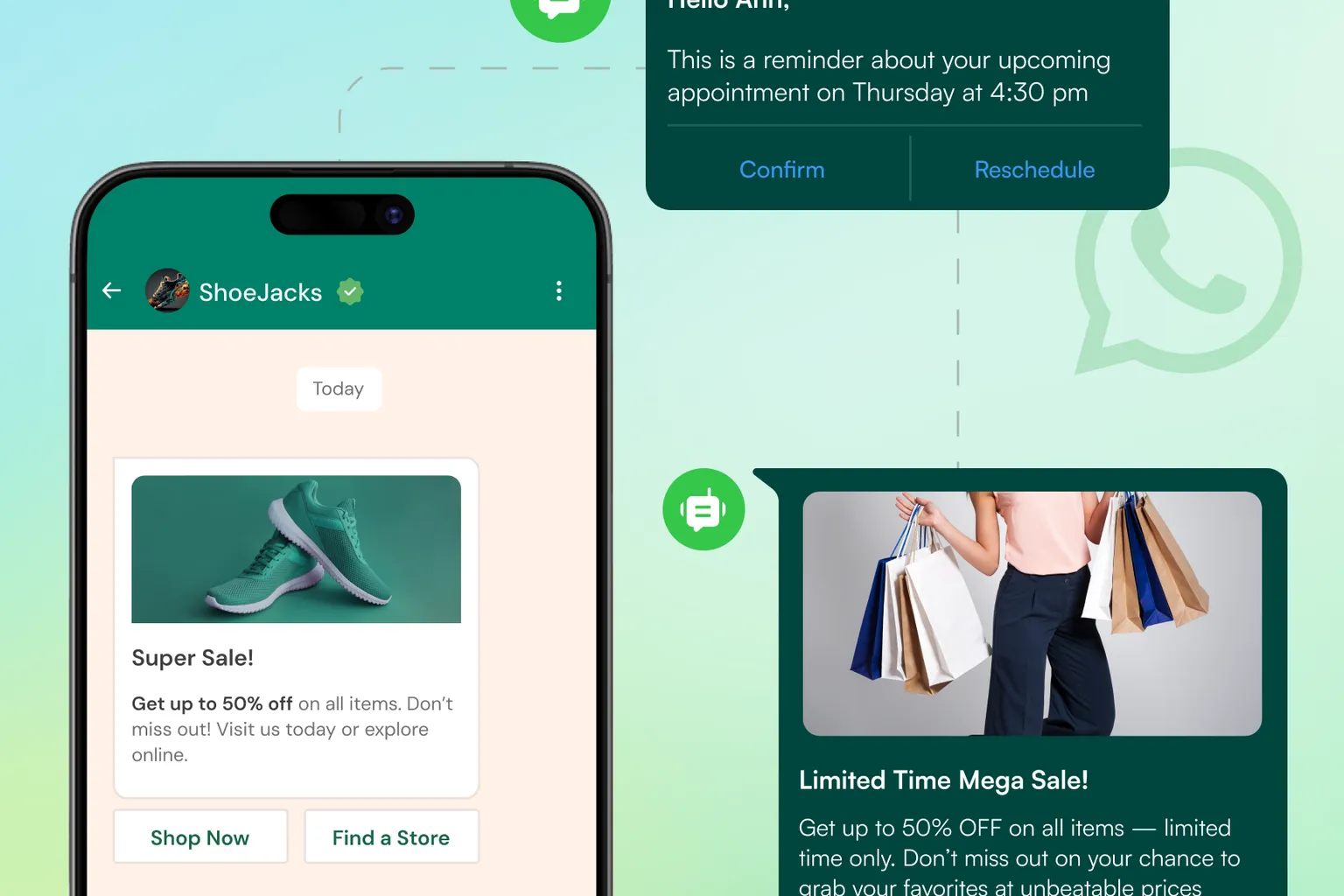

A useful multichannel campaign gives each channel a specific job. Start with the customer objective, choose the primary route, define the action that changes the journey, use fallback only when justified, and stop communication when the goal is complete.

A multichannel campaign is not simply the same promotion copied into WhatsApp, RCS and SMS. The useful part is deciding which channel should do which job, what customer event moves the journey forward, and when the campaign should stop.
This guide gives practical multichannel messaging campaign examples that businesses can adapt for marketing, sales and service communication. The examples use WhatsApp, RCS and SMS selectively rather than forcing every customer through every channel.
1. What Makes a Messaging Campaign Truly Multichannel?
A coordinated campaign has one customer objective across channels. Each message should have a clear role: introduce, remind, help the customer act, recover delivery, or hand the conversation to a person.
Campaign design rule: audience → objective → primary channel → customer action → next condition → stop rule.
GreenAds Global’s multichannel messaging platform supports WhatsApp, RCS and SMS as part of a connected messaging strategy.
2. How Should You Choose the Channel for Each Campaign Step?
Choose the channel based on what the customer needs to do.
- WhatsApp: useful when the journey needs familiar two-way conversation, approved business templates, media or guided actions.
- RCS: useful for RCS-reachable customers when verified branding, rich cards, carousels or suggested actions add value.
- SMS: useful for concise alerts, broad text reach and eligible backup delivery.
Google’s official RCS guidance supports rich cards, carousels, suggested replies and actions, while its launch guidance provides examples for transactional, promotional and OTP use cases. See Google RCS for Business launch guidance.
For WhatsApp, campaign design must also respect the official WhatsApp Business messaging policy, including permission and template requirements where applicable.
3. Campaign Example: Product Launch or New Collection
Objective: create awareness and move interested customers toward product discovery or purchase.
Suggested journey
- RCS rich introduction: for eligible customers, use a branded rich card or carousel when the product benefits from visual discovery.
- WhatsApp follow-up: for customers who are permitted and show interest, continue with a conversational product or sales journey.
- SMS reminder: use only when a concise reminder or eligible backup is justified; do not automatically send it to everyone who received the first message.
Stop when: the customer purchases, opts out, or the campaign period ends.
Measure: unique customers reached, product-page visits or replies, qualified sales conversations and attributed purchases where the attribution method is clear.
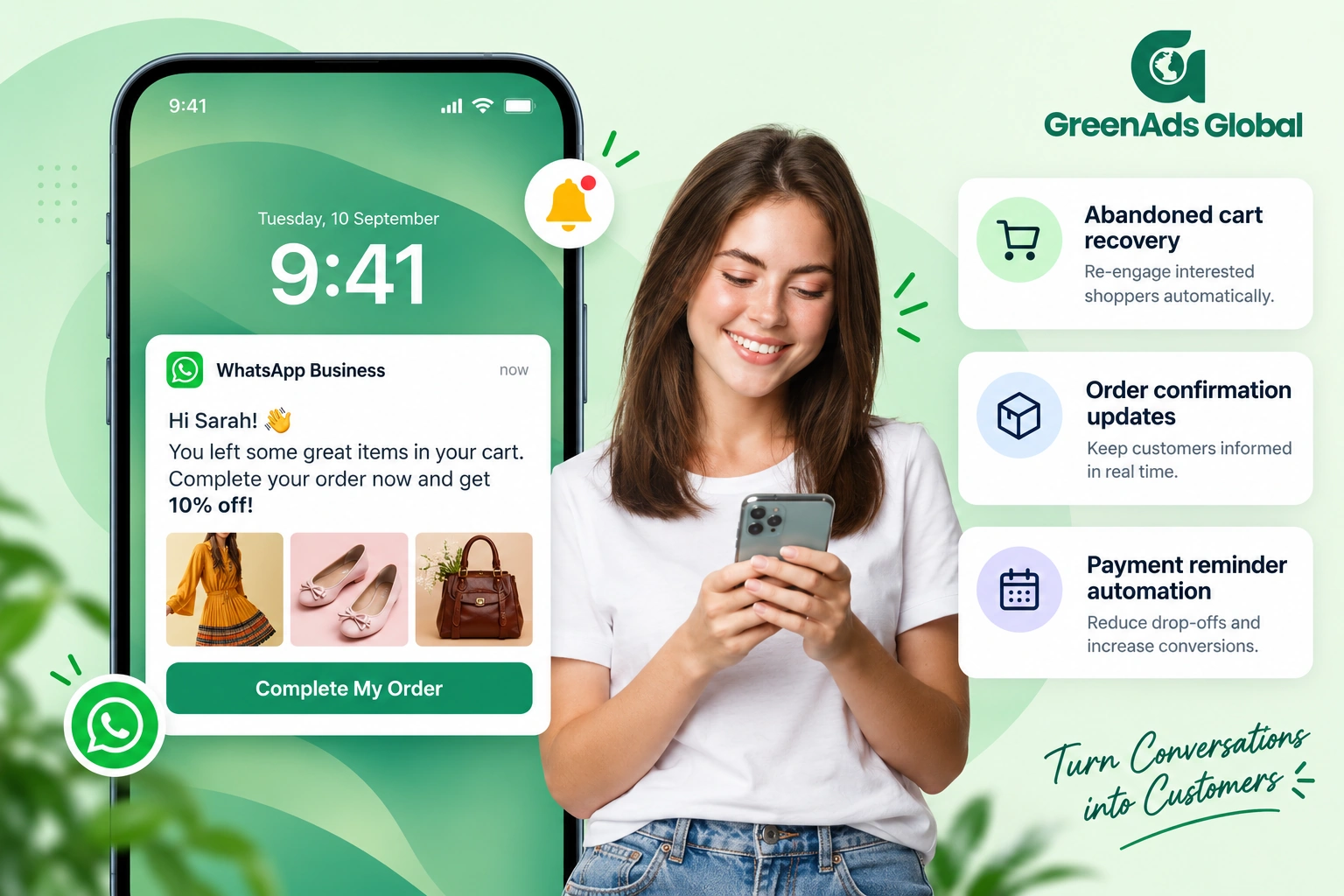
4. Campaign Example: Abandoned Cart Recovery
Objective: remind a known customer about an incomplete purchase without messaging someone who has already checked out.
Suggested journey
- The commerce platform records an abandoned cart.
- Re-check purchase status before the first reminder.
- Send one appropriate reminder on the preferred channel.
- If the customer has not purchased, apply a second step only when the business has defined the timing, permission and value of that follow-up.
- Stop the journey immediately when purchase completion is recorded.
The most important part is the exit rule. For a data-driven implementation, see CRM-connected customer communication workflows.
For Shopify-specific context, see Shopify and WhatsApp integration.
5. Campaign Example: Appointment or Booking Journey
Objective: reduce missed information around a booking and make changes easy to understand.
Suggested journey
- Confirmation: send the confirmed date, time and key instructions.
- Reminder: send only while the appointment remains active.
- Reschedule update: replace outdated information when the booking changes.
- Human handoff: route complex questions to a team member with the booking context visible.
Stop when: the appointment is completed, cancelled or replaced by a newer booking.
When staff need to manage customer replies across multiple conversations, a unified messaging inbox for sales and support can provide the ownership layer around the campaign.
6. Campaign Example: Order and Delivery Updates With Fallback
Objective: keep a time-sensitive service update moving even when the preferred route cannot complete delivery.
Suggested journey
- Send the order or delivery update on the customer’s eligible primary channel.
- Track the latest delivery outcome.
- If the primary route fails or meets a pre-approved fallback condition, confirm the update is still useful.
- Send a concise SMS backup only when the customer and destination are eligible.
- Stop further recovery after successful delivery or when the update is no longer current.
See the detailed guide to WhatsApp and RCS to SMS fallback messaging.
7. Campaign Example: Lapsed Customer Reactivation
Objective: re-engage a relevant customer segment without turning the campaign into repeated broad outreach.
Suggested journey
- Define the lapsed-customer segment from a real business rule such as no purchase or engagement within an approved period.
- Exclude customers who have opted out or whose status makes the campaign irrelevant.
- Choose one primary message that gives a clear reason to return.
- Use a richer follow-up only for customers who engage and benefit from additional detail.
- Stop after the customer converts, opts out or the campaign expires.
Measure: reactivated customers, qualified replies, purchases that meet your attribution rules, unsubscribe/opt-out signals and total campaign cost.
8. Campaign Example: Event or Service Invitation
Objective: move a targeted audience from invitation to registration and attendance.
Suggested journey
- Send an invitation through a channel appropriate to the audience and content.
- When the customer registers, update the CRM or booking system immediately.
- Send confirmation and practical event details.
- Use a reminder only for registered attendees and remove cancelled registrations.
- Route questions to a sales or support owner where needed.
Stop when: the event ends, registration is cancelled or the customer opts out.
9. What Should Every Multichannel Campaign Plan Include?
Before launching, document the journey in one page.
- Audience: who should receive the campaign and who must be excluded?
- Objective: what customer or business action defines success?
- Primary channel: which channel carries the first step and why?
- Message purpose: what does each message help the customer do?
- Conditions: what customer action moves the journey forward?
- Fallback: when is a secondary delivery route justified?
- Ownership: who handles customer replies or exceptions?
- Exit: what stops the campaign for that customer?
- Measurement: what will be compared after launch?
10. How Do You Measure a Multichannel Campaign Without Double-Counting?
Multiple channel events do not equal multiple customers. Keep the customer or campaign journey as the unit of analysis.
- Unique customers targeted and reached.
- Primary-channel delivery.
- Fallback attempts and recovered delivery.
- Qualified replies or conversations.
- Completed registrations, bookings or purchases where attribution is reliable.
- Total campaign spend and cost per chosen outcome.
- Duplicate messages and unnecessary retries.
- Opt-outs, complaints or other negative signals.
If cost is a priority, read how to reduce business messaging costs across WhatsApp, RCS and SMS.
11. How Can Telinfy Support Multichannel Campaign Execution?
Telinfy by GreenAds Global is an omnichannel messaging platform for WhatsApp Business API, RCS, SMS and Voice. Its platform capabilities include campaigns, a shared messaging workspace, fallback, integrations and analytics.
That makes it suitable as a coordination layer when a business wants to design a journey across multiple supported channels instead of operating each campaign from a separate tool. Exact channel configuration, routing and integration behavior should be confirmed for the account before launch.
Start With One Customer Journey, Not Every Channel at Once
The best multichannel campaign is usually the simplest journey that gets the customer to the right next action. Map one objective, one audience, one primary route, the conditions that change the path and the event that ends it.
Explore multichannel campaigns with Telinfy or book a campaign-planning session with GreenAds Global.
See how CRM events become customer communication
Open each workflow to see the trigger, live-data check, communication action and stopping condition.
New lead qualification
Abandoned cart follow-up
Appointment communication
Payment or renewal reminder
Should the next message still be sent?
Open a customer state to see how current CRM or commerce data should change the workflow.
Lead is already qualified
Customer completed the purchase
Appointment was cancelled
Payment is complete
₹ 899
₹ 2,249
₹ 3,149
$30
$50
Frequently Asked Questions
What is a multichannel messaging campaign?
A multichannel messaging campaign coordinates customer communication across two or more channels around one objective. It is different from simply sending the same message everywhere. A Telinfy multichannel campaign can coordinate configured channels within one messaging platform.
Should every campaign use WhatsApp, RCS and SMS?
No. Use only the channels that fit the customer, message purpose and journey. Some campaigns need one primary route plus a backup; others benefit from a richer channel followed by a conversation or reminder.
When should SMS be used in a multichannel campaign?
SMS is useful for concise text alerts, broad text reach and eligible backup delivery. If it is used as fallback, check the primary delivery outcome and customer eligibility first. See multichannel fallback messaging.
How do you prevent duplicate messages across channels?
Use one journey identifier, track the latest delivery and customer state, define channel-switch conditions and stop future sends after successful delivery or completed customer action.
How do CRM integrations improve multichannel campaigns?
CRM or commerce data can start a journey, change the next step and stop reminders when the customer converts or changes status. See CRM-connected communication workflows.
How should a business measure a multichannel campaign?
Measure unique customers rather than adding channel events together. Useful measures include useful delivery, qualified replies, completed actions, total campaign spend, fallback recovery, duplicate messages and opt-out signals.
Can a multichannel campaign reduce messaging costs?
It can reduce waste when channel selection, segmentation, suppression and fallback rules prevent unnecessary messages. It can also increase cost if every channel is used for every customer. See business messaging cost optimization.
How do you choose the primary channel and fallback channel in a multichannel campaign?
Choose the primary channel based on the message purpose, customer eligibility, available contact data and the experience you want to deliver. Use a fallback only when there is a clear reason to switch, such as an eligible delivery failure or channel limitation. Avoid sending the same message on every channel at once. See the guide to multichannel messaging.
What is the difference between multichannel and omnichannel messaging?
Multichannel messaging means using more than one communication channel. Omnichannel messaging goes further by coordinating those channels around the same customer context, journey and next action. The goal is continuity, so a customer does not receive disconnected or repetitive communication when moving between WhatsApp, RCS, SMS or another supported channel.
Can multichannel messaging be used for both transactional and promotional campaigns?
Yes, businesses can design multichannel journeys for use cases such as order updates, appointment reminders, payment notifications, product launches, reactivation and event invitations, subject to the rules and eligibility of each channel. Channel selection should match the use case rather than forcing every campaign through the same route. Learn more about RCS messaging and WhatsApp Business API.
You may Also like
Book a One-to-One Meeting With Our Product Expert
Have questions? We have got answers! Connect with our product expert for a personalized demo session and discover the best messaging solutions for your business.
.svg)
