Unlock Your 14-Day Free Trial with Free Credits!
Get Started for Free



WhatsApp API Pricing - Latest Meta updates
October 6, 2026
.
Anya Sam · 8 min read

Table of contents

Understanding WhatsApp Business API pricing helps you estimate your WhatsApp Business cost and choose the most cost-effective plan.
Key Pricing Factors:
- Message Type: Marketing, Utility, Service and Authentication messages have different rate.
- Country: Pricing varies based on the recipient's country.
- Message Volume: Higher Utility and Authentication volumes unlock pricing discounts.
- Solution Provider: Platform fees and optional services add to your total WhatsApp API cost.

Choosing theWhatsApp Business API is easy. Understanding its pricing is not.
WhatsApp Business API pricing is made up of several components, including Meta's messaging charges, your Business Solution Provider (BSP) platform fees and any additional services such as chatbots or CRM integrations. Since Meta updates its pricing model periodically, staying up to date is essential to accurately estimate your costs and choose the most cost-effective WhatsApp Business API plan for your business.
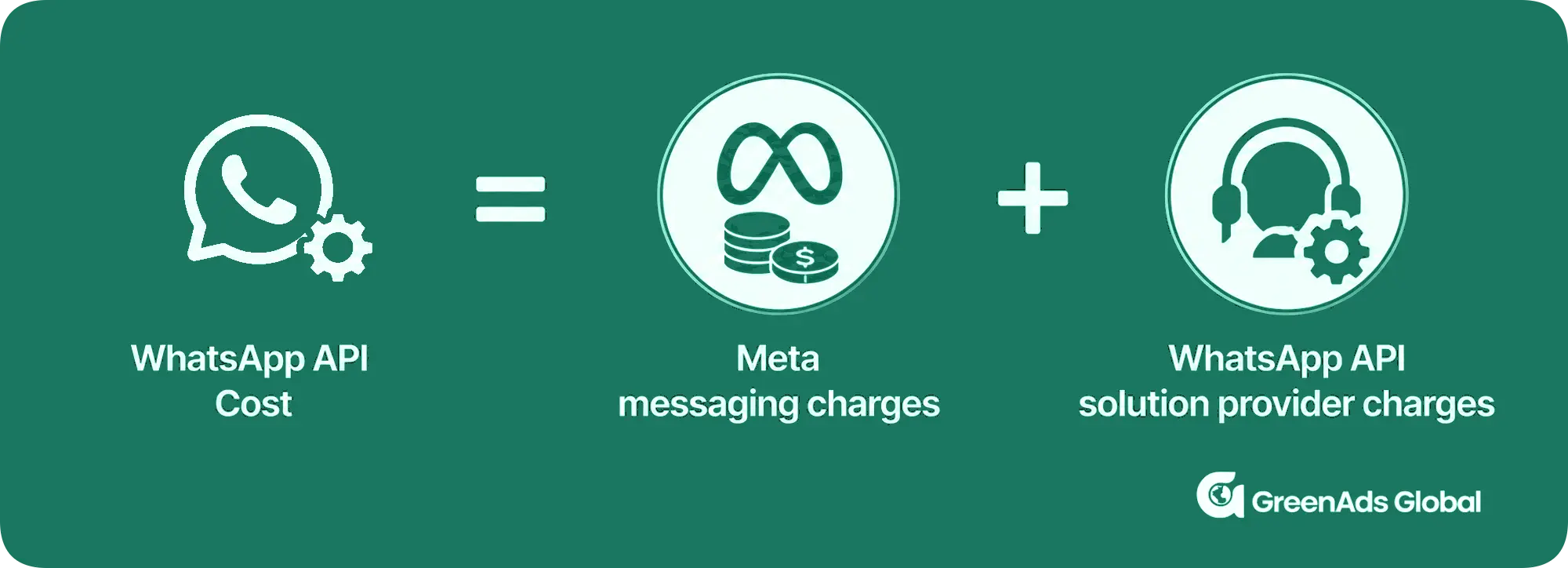
This guide explains exactly how WhatsApp Business API pricing works in. We'll break down Meta's official charges, explain what WhatsApp solution provider GreenAds Global charges and why, show real pricing examples and share practical ways to reduce your monthly WhatsApp API cost.
By the end, you'll know exactly what you're paying for and how to choose the most cost-effective WhatsApp Business solution for your business.
1. How Whatspp Business API Pricing Works
Your total cost depends on 4 main factors:
a) Meta Message Template Category – Meta charges different rates for Marketing, Utility, Service and Authentication template messages. The template category is one of the biggest factors affecting WhatsApp API pricing.
b) Recipient's Country – WhatsApp Business API pricing varies by the recipient's country or region.
c) BSP Charges – In addition to Meta's messaging fees, your Business Solution Provider (BSP) may charge platform subscription fees, setup costs, chatbot fees or per-message mark-ups.
d) (Optional) WhatsApp Chatbot costs – If you use a WhatsApp chatbot (for example, to automate WhatsApp messages), you may incur additional costs for chatbot software.
Let’s look into each category:
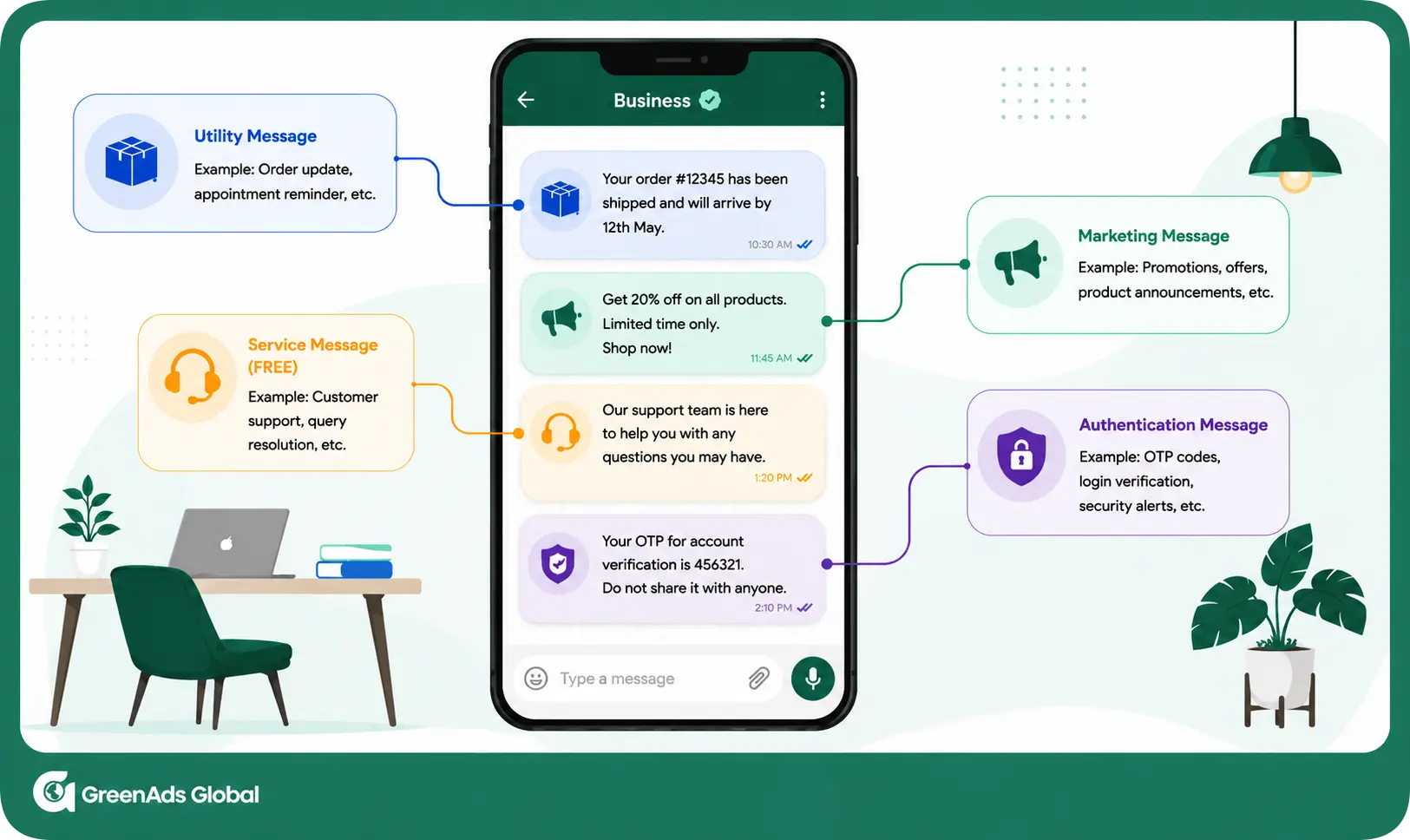
1a. WhatsApp Message Template pricing
As per Meta's latest pricing update , conversation-based pricing has been deprecated. It was replaced by a per-message pricing model on July 1, 2025.
This change is now the foundation of WhatsApp Business Platform pricing, with businesses billed on a per-message basis instead of per conversation.
MAJOR UPDATES :
· Effective October 1, 2026 - Meta will charge on a per-message basis for all service messages. These messages have not been charged since November 1, 2024.
· Effective October 1, 2026 - Meta will charge on a per-message basis for utility messages sent in response to users (within an open 24-hour customer service window). These messages have not been charged since July 1, 2025.
1b. WhatsApp API Pricing by Country:
Marketing, Utility, Service and Authentication template messages are charged according to the country calling code of the recipient's country. Thus, sending the same message to customers in different countries result in different Meta charges.
The following tables outline the country-wise pricing of different message categories for the Basic, Starter and Advanced plans offered by GreenAds Global.
STARTER PLAN :
BASIC PLAN :
ADVANCED PLAN :
These tables help you compare the WhatsApp Business API price across different countries.
You can also estimate your WhatsApp API subscription and message costs with the WhatsApp API price calculator - powered by GreenAds Global, a Meta-approved WhatsApp Business API provider.
1c. WhatsApp API provider charges:
In addition to Meta's messaging fees, businesses typically incur charges from the WhatsApp API solution provider.
Our WhatsApp Business API pricing has 3 pricing plans, designed to help businesses connect with their audience through a familiar and trusted platform.
[[Pricing]]
[[Pricingint]]
1d. WhatsApp chatbot price (Optional)
Our WhatsApp Business API Basic and Advanced plans include WhatsApp chatbot, designed to cut costs by automating routine tasks and handling high volumes of queries, allowing your support team to focus on complex issues that truly need human attention—saving time and resources.
In the Basic plan, WhatsApp chatbot token usage is billed separately (₹3,000 worth of AI tokens). In the Advanced plan, WhatsApp chatbot token charges are included at no additional cost.
2. How to send free WhatsApp messages?
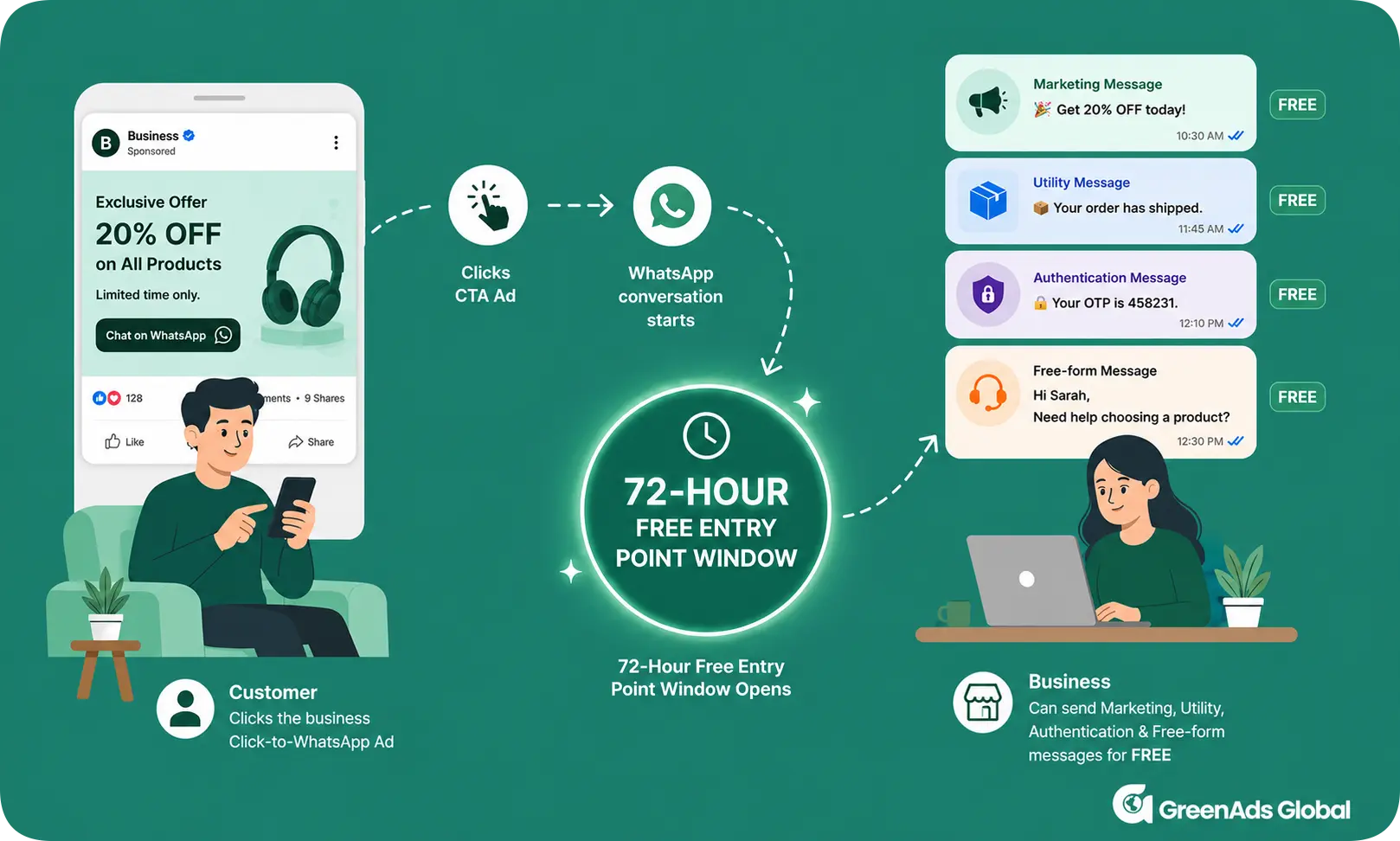
· Customer Service Window (24 Hours)
The Customer Service Window (CSW) opens when a customer messages your business. During the next 24 hours, you can send free-form messages (text, images, documents etc.) and Utility template messages in response to the customer, without Meta messaging charges.
NOTE: Service or Utility messages will no longer be free within the CSW, from October 1, 2026 onwards.
· Free Entry Point Window (72 Hours)
When a customer starts a conversation through a Call-to-action button (for example, a Click-to-WhatsApp Ad) and you reply within 24 hours, a 72-hour Free Entry Point (FEP) Window begins. During this period, all message types, including Marketing, Utility, Service and Authentication and messages are free.
Note: Messages Not Delivered
Meta only charges for successfully delivered template messages. If a template message is not delivered, no Meta messaging charge applies. However, if you have enabled the GreenAds Global SMS fallback feature, the SMS will be sent instead and standard SMS charges from your messaging provider will apply.
3. WhatsApp Volume Tier Pricing
You can unlock lower utility and authentication rates basedon the number of messages you send in a month.
Note: This table shows India's volume-based discount tiers. Message volume thresholds vary by country. Refer Meta's official pricing documentation for country-specific thresholds.
· Rates are tier-specific: When a business sends enough messages to reach the next tier, you unlock the rate of the next tier.
· Meta reviews your messaging tier every 6 hours. To move to a higher tier, you must use at least 50% of your current messaging limit over the past 7 days while maintaining a good messaging quality rating .
· Tiers reset monthly: At the start of the next month, message count resets to 0 and businesses begin to accumulate messages toward that month.
Note: Volume discounts do not apply to Marketing templates. They are available only for eligible Utility and Authentication template messages, making them particularly valuable for businesses that send a high volume of transactional or security-related communications
4. Factors that affect message deliverability
"Even if you're willing to pay for a message, Meta may still prevent it from being delivered if your account doesn't meet messaging quality and compliance requirements."
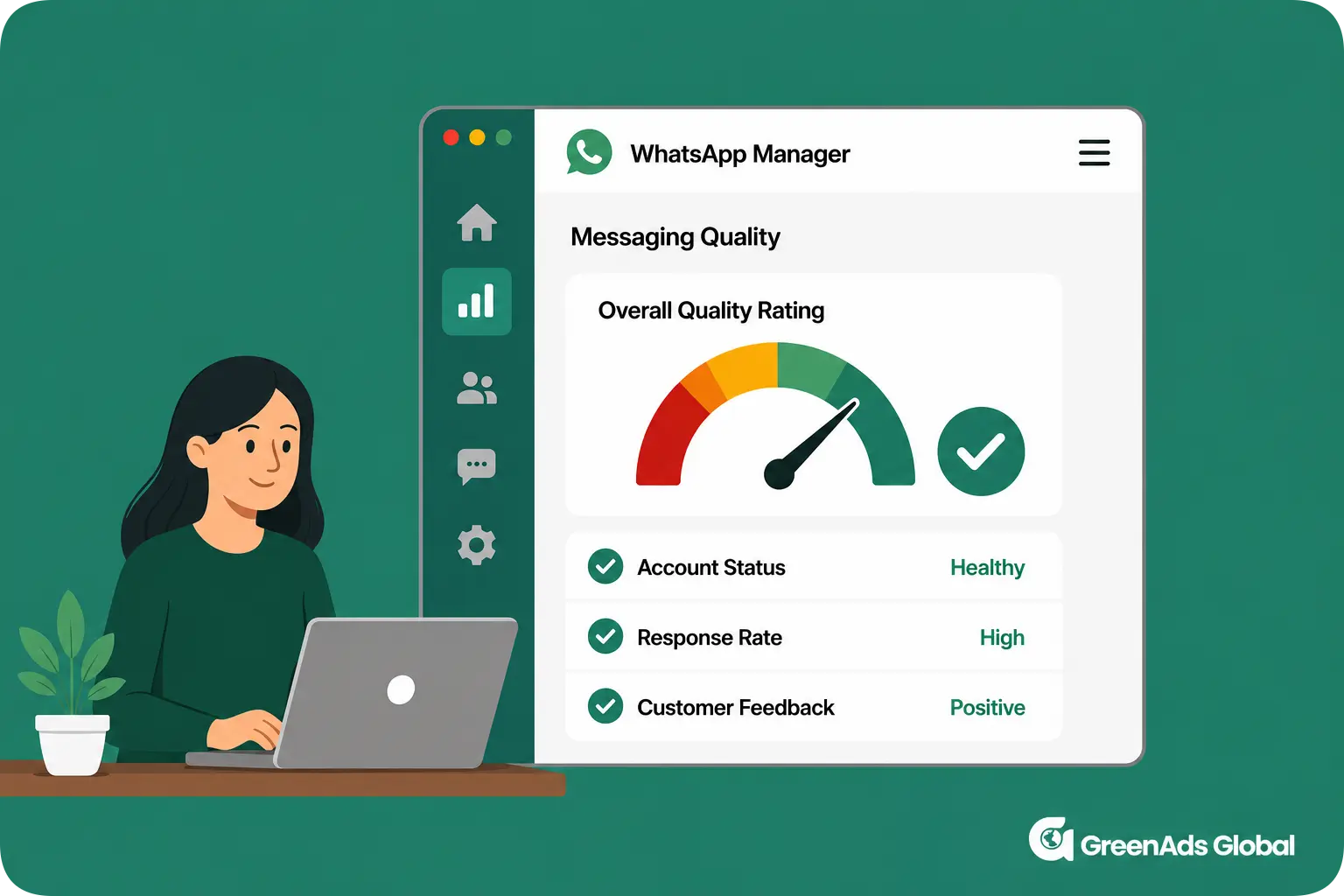
· Quality Rating :
Meta shows a Business messaging quality as green (high), yellow (medium) or red (low) in the WhatsApp Business Manger account.
A low-quality rating (through customer blocks or reports) can trigger a drop or restriction in a WhatsApp Business number's messaging capacity.
Thus, only message opted-in customers, at a reasonable frequency, keeping quality high.
· Per-user Frequency Capping :
Meta applies a per-user marketing frequency cap to limit how many marketing template messages the same WhatsApp user receives, with the limit adjusting automatically based on the user's recent engagement.
Every delivered marketing template counts toward this limit, except messages sent within the 24-hour customer service window after the user replies.
If a message exceeds the limit, it fails with error code 131049 and you should wait at least 24 hours before sending another marketing template to that user.
5. How to Reduce WhatsApp Business API Costs ?
· Keep Customers Inside the FEP :
Personalised messages have more chance of customers sending replies. During FEP window, you can send free-form messages and Utility templates without Meta messaging charges.
Note : Sending free WhatsAppmessages in the CSW period will no longer be effective from October 1, 2026 onwards.
· Segment Marketing Campaigns :
Instead of sending promotional messages to your entire customer base, segment your audience based on purchase history, interests or engagement.
· Choose the Right WhatsApp API provider:
Select a WhatsApp API provider, such as GreenAds Global, with transparent pricing, that can help you manage overall WhatsApp Business API costs.
[[cta]]
· Monitor Meta WhatsApp Pricing Changes :
Meta reviews WhatsApp Business Platform pricing only on every quarter of a year. Meta gives businesses at least 1 month notice for price changes, 3 months for new pricing features (added to the existing pricing model) and 6 months for major billing model changes.
Regularly checking the latest pricing helps you forecast costs accurately and adjust your messaging strategy when needed.
6. Major WhatsApp Business API pricing updates :
7. Conclusion:
Choosing the right WhatsApp Business API price isn't just about selecting the lowest-cost plan -it's about finding the right balance between pricing, features and scalability.
By using the appropriate message templates, taking advantage of free WhatsApp messages through Meta's free messaging windows, maintaining a high messaging quality rating, and partnering with a transparent WhatsApp API solution provider like GreenAds Global, you can manage your WhatsApp API cost while maximizing customer engagement.
[[cta]]
₹ 899
₹ 2,249
₹ 3,149
$30
$50
Frequently Asked Questions
Are WhatsApp service messages free after October 1, 2026?
No. Under the announced October pricing change, delivered service messages are charged on a per-message basis from October 1, 2026.
How is WhatsApp Business Platform pricing calculated ?
Meta charges for the WhatsApp Business API on a per-message basis. The cost depends on the message category (Marketing, Utility, Service or Authentication), the recipient's country and any additional fees charged by the WhatsApp API solution provider for platform access, automation or support.
Are utility messages inside the 24-hour window still free?
No. Utility template messages delivered in response to users during an open customer-service window become chargeable under the October 1 pricing update.
Do WhatsApp Business API pricing plans vary by country ?
Yes. Meta sets different message rates for each country or region. The cost of sending the same template message depends on where your customer is located. Click here to download the country-wise WhatsApp API pricing.
What are WhatsApp Business API prices for Marketing, Utility, Authentication and Service messages?
In India, Marketing Messages cost ₹0.88 (Starter), ₹0.86 (Basic) and ₹0.84 (Advanced) per message. Utility, Authentication and Service Messages cost ₹0.14 (Starter), ₹0.13 (Basic), and₹0.13 (Advanced) per message. The applicable rate depends on the GreenAds Global WhatsApp API pricing plan you choose.
How can I estimate my October WhatsApp service-message cost?
Multiply your expected delivered service-message volume by the approved service-message rate for the recipient market. Use the calculator in this guide after confirming the applicable rate.
Where can I verify the official WhatsApp message rate?
Use Meta's current WhatsApp Business Platform pricing documentation and a verified GreenAds rate card for your customer market.
Will this pricing change affect Shopify and CRM support workflows?
It can. Businesses using Shopify, CRM integrations, automation or AI support should review both service-message volume and utility-template volume because the October change can affect both.
How can businesses reduce unnecessary service-message volume?
Use concise replies, avoid fragmented multi-message responses, remove redundant greetings or confirmations and design AI or chatbot flows to resolve common questions efficiently.
Can GreenAds help estimate the pricing impact?
Yes. GreenAds can help you review expected message volume, applicable WhatsApp API messaging rates in line with your business requirements to estimate the likely monthly impact.
Book a One-to-One Meeting With Our Product Expert
Have questions? We have got answers! Connect with our product expert for a personalized demo session and discover the best messaging solutions for your business.
.svg)
