Unlock Your 7-Day Free Trial with Free Credits!
Get Started for Free


What is RCS Business Messaging? The Complete Guide
September 3, 2026
.
Anya Sam . 10 min read
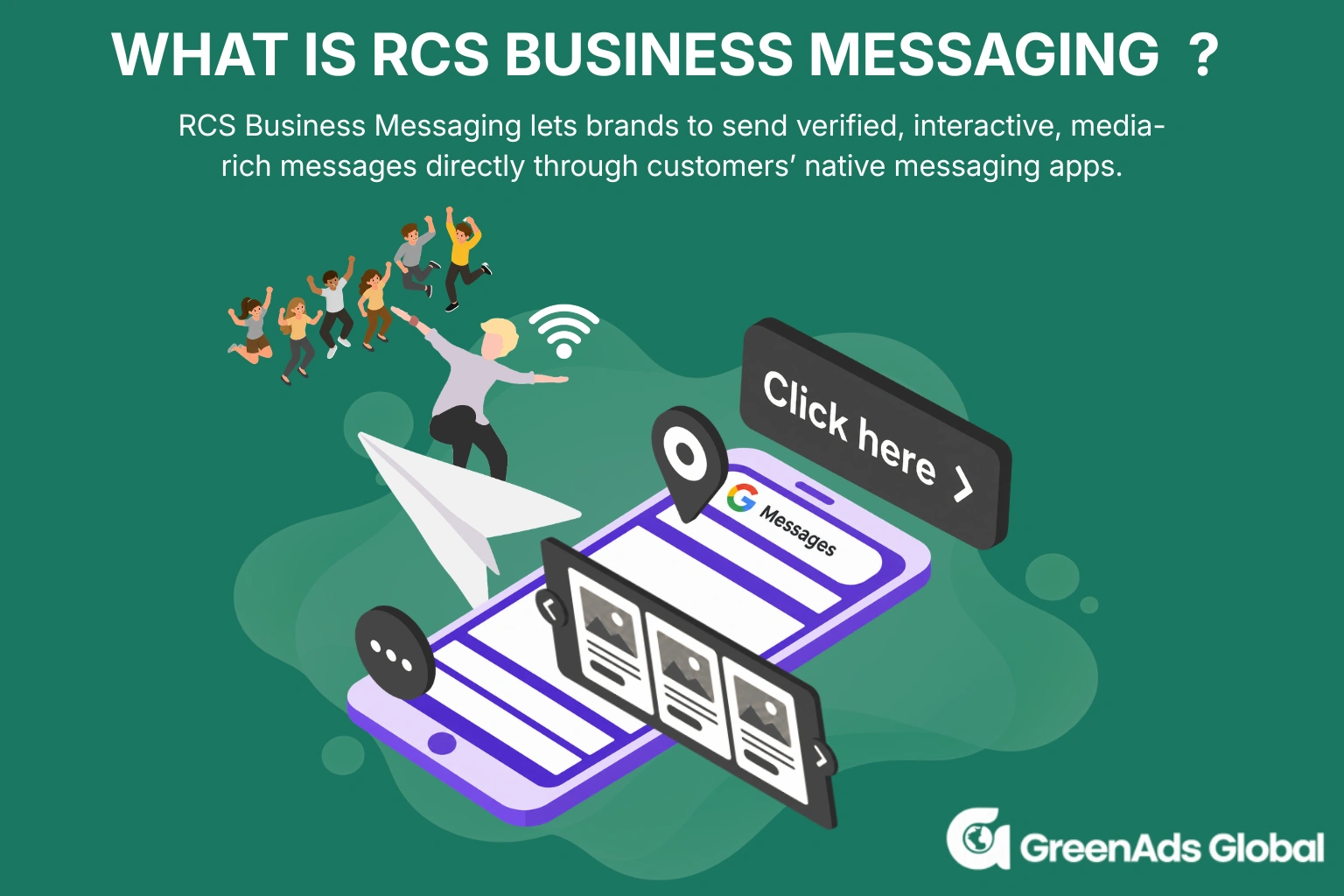

RCS (Rich Communication Services) chat is a more interactive, business-friendly evolution of SMS, bringing OTT app-like capabilities - rich media, carousels, buttons, suggested replies, read receipts and verified brand identities - into a customers’ native messaging app.
Key takeaways:
RCS chat vs. SMS chat: SMS is primarily plain text, while RCS chat supports rich images/videos, PDFs, carousels, CTAs and interactive conversations.
RCS Business Messaging (RBM): Businesses can use verified brand profiles to send campaigns or transactional and customer-service messages directly to customers' native messaging apps.
Best RCS strategy: Segment audience, personalize content, align messages to the customer journey and continually test different campaigns, offers and CTAs.
GreenAds Global's RCS messaging service: Our service covers template creation/approval, testing, scheduling, personalization, SMS fallback, inbox management and campaign analytics.
GreenAds Global's RCS Pricing: The latest RCS pricing update in India took effect on September 1, 2026, with separate rates for promotional and transactional RCS messages.The rates applicable under the September 1, 2026 RCS pricing update are ₹0.12 per transactional message and ₹0.25 per promotional message.

Your SMS was delivered. But did anyone actually engage with it?
Traditional SMS tells businesses very little about their customers.
RCS chat changes that by bringing richer content, buttons, suggested replies and other interactive features to the native messaging experience. And this is perfect considering customers are increasingly gravitating towards interactive messaging experiences.
1. What is RCS chat?
RCS (Rich Communication Services) is a new standard for messaging that is intended to provide a better experience than SMS. With RCS chat supported features such as high-quality media, read receipts, typing indicators, suggested replies, interactive buttons, carousels and much more, it is recommended as a premier messaging channel for users.
RCS is designed to be available on the native messaging app on supported devices, so users get a rich, interactive messaging experience, without having to download a separate messaging app. Unlike SMS, which relies on the mobile carrier’s traditional messaging network, RCS uses internet connectivity and RCS infrastructure to deliver messages, enabling the richer features that SMS cannot support.
Since RCS is integrated into the device’s messaging app, users can also choose whether to enable RCS chats. In Google Messages, users can turn it on by going to Profile picture → Messages settings → RCS chats → Turn on RCS chats.
To understand where RCS fits in the broader messaging landscape, it is useful to compare it with SMS, MMS and OTT messaging.
2. What is the difference between SMS, MMS, OTT and RCS?
a) Definition
SMS stands for Short Message Service. It is the standard technology used to send short text messages (up to 160 characters) between mobile phones over a cellular network rather than the internet.
MMS stands for Multimedia Messaging Service. It is a standard mobile phone technology used to send and receive rich media content - such as images, audio clips, GIFs and short videos - over a cellular network.
OTT (Over-the-Top) messaging is text and media communication sent via the internet. Popular examples include WhatsApp, Telegram, and Facebook Messenger, which bypass traditional telecom text fees.
RCS (Rich Communication Services) messaging is a modern communication protocol designed to replace traditional SMS and MMS text messages. It brings smartphone texting up to the standard of modern apps, offering high-resolution media sharing, typing indicators, read receipts and larger file sizes all through a phone's default messaging app.
b) Choices in message content and media support
SMS is limited to short plain-text characters - up to 160 characters only.
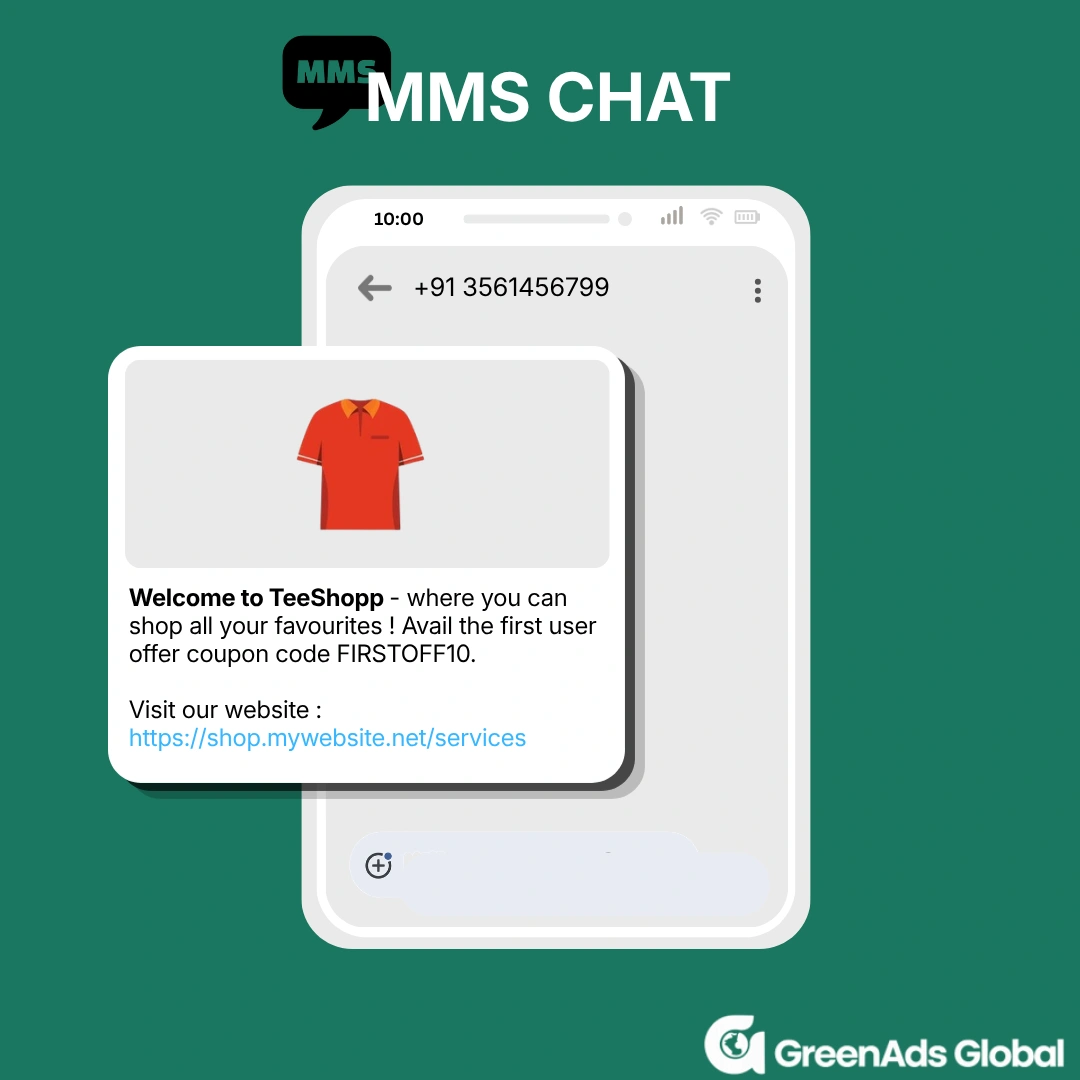
MMS extends SMS to support multimedia content such as images, audio, GIFs and short videos. However, media is subject to carrier and file-size limitations and may be compressed.
OTT messaging supports a much wider range of content, including high-resolution images and videos, GIFs, stickers, files, voice messages and interactive elements.
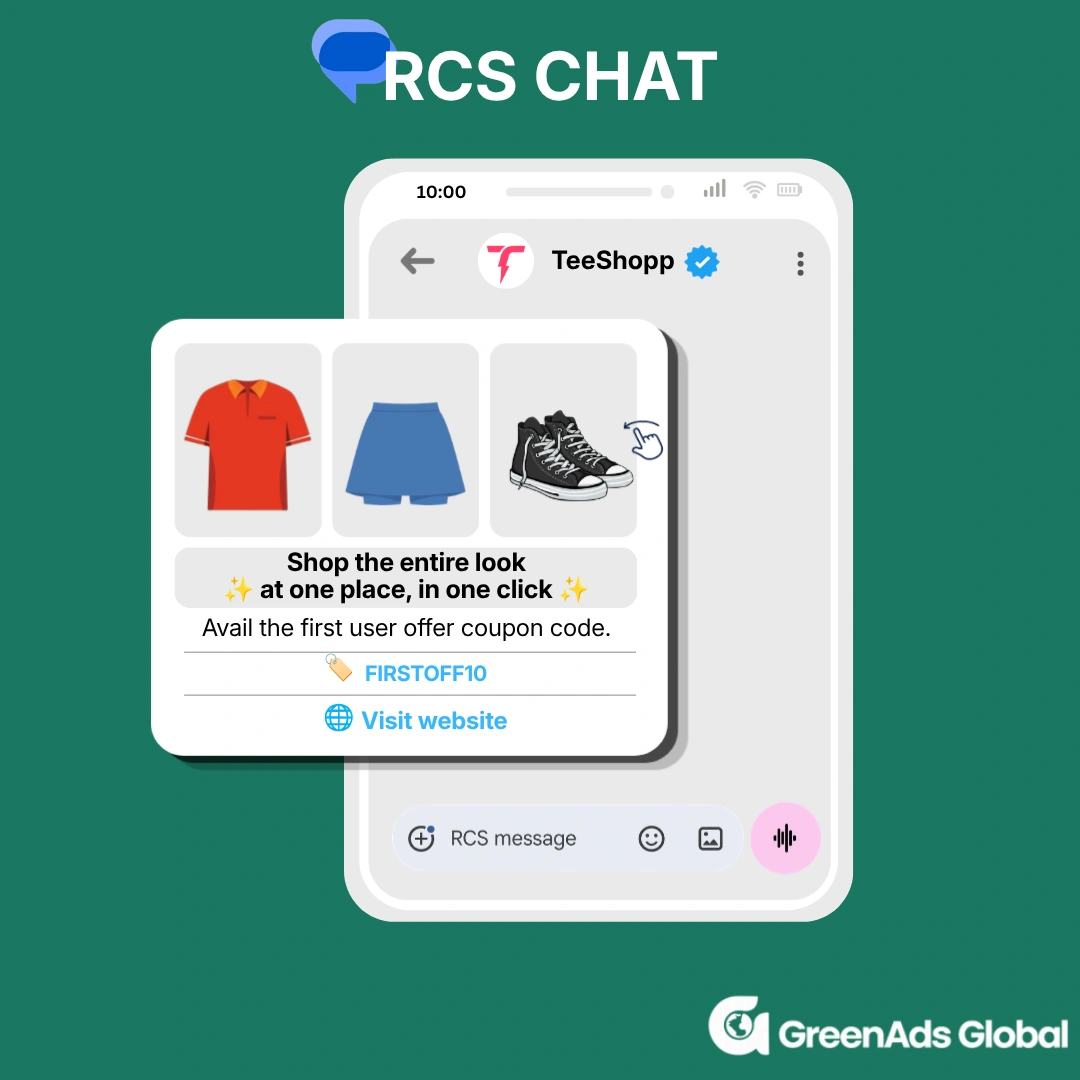
RCS combines the reach of traditional messaging with richer content, supporting high-resolution images and videos, GIFs, stickers, files, suggested replies, CTA buttons, carousels and rich cards directly within the native messaging app.
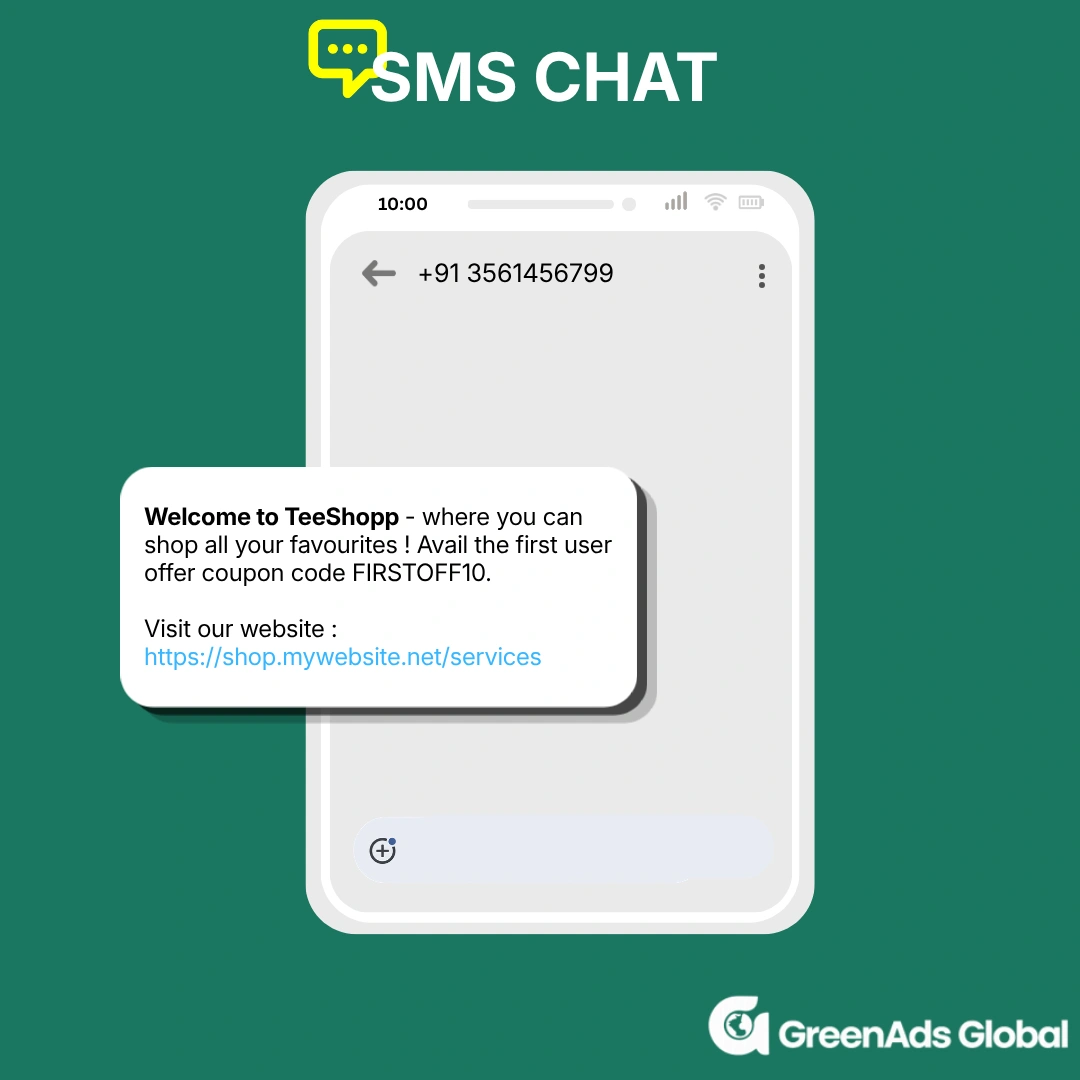
c) Seamless delivery and connectivity
SMS works over the mobile carrier’s cellular network, so it does not require mobile data or Wi-Fi. Its simplicity gives it broad reach, even on basic or older devices.
MMS also relies on the mobile carrier’s network, but multimedia messages can depend on carrier support and network. This can make delivery less seamless than standard SMS, particularly when sending larger media files.
OTT messaging uses an internet connection and requires both the sender and recipient to use the same messaging platform.
RCS uses an internet connection to deliver messages through RCS infrastructure while working within the phone’s native messaging experience, but both the device and network must support RCS.
d) Security
SMS has limited security because messages are not end-to-end encrypted, making SMS unsuitable for highly sensitive information.
MMS, similar to SMS, works without end-to-end encryption, so the content is not protected from intermediaries.
OTT messaging can offer stronger security because many platforms use end-to-end encryption, meaning only the sender and recipient can access the message content.
Personal RCS messaging has encryption is on by default when you send messages to other Google Messages users who also have RCS enabled, protecting messages from being accessed by Google or other third parties. RCS Business Messaging uses encryption in transit and verified sender profiles, but it does not use end-to-end encryption.
3. What is the difference between RCS and RCS Business messaging?
RCS chat is a protocol that enhances the person-to-person (P2P) messaging experience by offering richer interactions you’d typically find in a separate messaging app (such as WhatsApp) directly within the native messaging app on your smartphone.
RCS Business Messaging is the application-to-person (A2P) of RCS for brands to communicate with their customers. This implies that businesses can send encrypted, interactive and media-rich campaigns or messages straight to a user's native mobile messaging program, without the need for third-party chat software.
4. How does RCS business messaging work ?
RCS business messaging works through a combination of GSMA standards, RCS infrastructure, mobile carriers and messaging providers.
- The GSMA defines the RCS standard through the Universal Profile, which sets the rules for how RCS should work across devices and networks.
- Google provides a major part of the RCS infrastructure through Google Jibe and RCS for Business, while mobile network operators enable RCS for their subscribers.
- For businesses, an RCS service provider provides the API and platform needed to create and send RCS Business Messages without the business having to connect directly to carrier infrastructure.
The journey looks like this:
Business → RCS BSP/CPaaS → RCS infrastructure → Mobile carrier → Customer's phone.
The business creates a message through the BSP's dashboard or API, the message is routed through the RCS ecosystem and the customer's carrier and it appears in the customer's native messaging app - such as Google Messages or Apple iMessages - if RCS is supported and enabled.
A key requirement: RCS must be enabled on both the sender’s and recipient’s devices for the message to be delivered as an RCS message.
How to enable RCS messaging on Android?
To enable RCS messaging, Android users should do the following:
- Navigate to Google Messages on your phone.
- Tap your profile picture or icon and then open Message Settings.
- Tap RCS chats.
- Turn on RCS chats to enable RCS messaging.
How to enable RCS messaging on iPhone?
To enable RCS messaging, iPhone users should do the following:
- Navigate to Settings on your iPhone.
- Scroll down and select Apps at the bottom of the screen.
- Select Messages from the available Apps.
- Scroll down until you see the Text Messaging section, with RCS Messaging listed at the top of the category.
- Click on RCS Messaging. On the next screen, if the toggle is green, RCS is enabled on your phone. If not, you can simply flip the toggle to turn on RCS Messaging on your phone.
5. What Are the Features of RCS (Rich Communication Services) messaging?
Instead of relying only on plain text, RCS messaging allows conversations to include multimedia, buttons, cards and other interactive features directly within the messaging experience.
a) Richer, More Engaging Messages
Unlike traditional SMS, RCS is not restricted to the 160-character limit, allowing businesses to send detailed messages without splitting them into multiple SMS segments.
With rich media support, one of the biggest advantages of RCS, high-resolution images, videos, audio files, GIFs and documents such as PDFs can be send. RCS business chat also supports rich cards and carousels, which allow businesses to present products, services, offers and more in a structured format.
Together businesses can communicate information through a richer mix of text and visual content, enhancing customer messaging experience.
b) Interactive Conversations
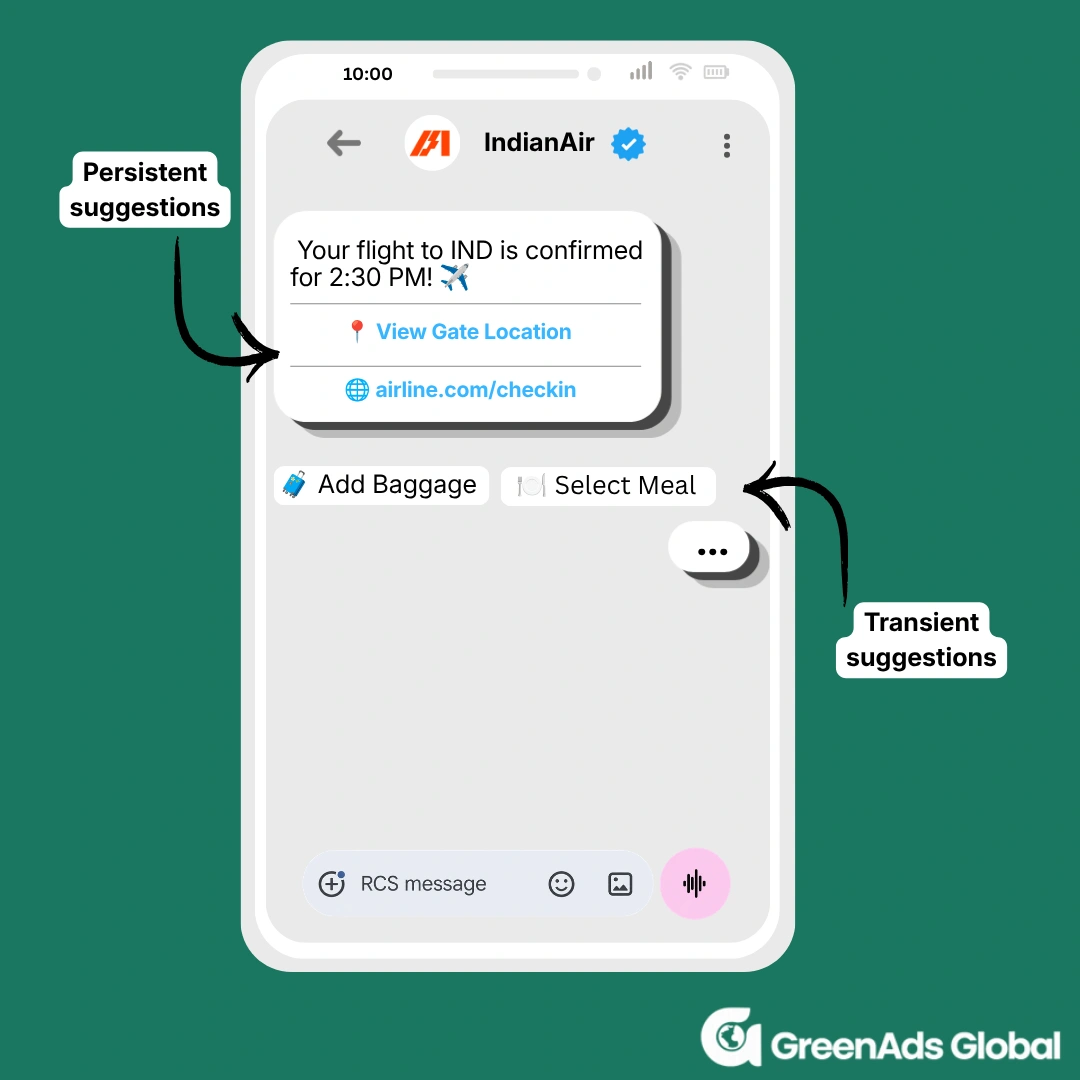
RCS turns messaging into a more interactive experience through suggested replies and customizable calls to action (CTAs). Instead of asking customers to type a response or leave the messaging app to complete an action, businesses can provide options such as Track Order, Book Appointment, Shop Now or Contact Us directly within the message.
Google Messages’ Magic Compose is an experimental feature with limited access. Powered by Google’s generative AI technology, it suggests personalised, stylised replies based on the context of your conversation. For businesses, this can help customers respond more quickly and effortlessly, potentially improving engagement. This feature is currently present only for P2P conversations but is likely to rolled out for A2P conversations in the future as well.
Google Messages now supports persistent suggestions alongside traditional transient suggestions for RCS business messaging. Businesses can send a single text containing both types simply by setting individual buttons to "persistent" mode.
The image above shows a real-life example of how these RCS Messaging suggestions works.
c) No external application required
Another important advantage of RCS chat is that it works through supported native messaging experiences, meaning customers do not necessarily need to download another application just to interact with a business. This removes an additional barrier between businesses and their customers.
d) Advanced Analytics
RCS Business Messaging provides businesses with messaging insights such as submitted, delivered, read, sent and undelivered. These insights help businesses measure campaign engagement, customer responses and message performance more effectively.
e) SMS Fallback:
When RCS is unavailable because a device or carrier does not support it, messages can fall back to SMS, helping businesses maintain message reach instead of losing the communication entirely.
f) Cross-App Integrations
RCS business chat can connect messaging experiences with other services and applications, enabling use cases such as digital wallets, maps, payments, booking services and other third-party functionality directly from the customer conversation.
6. What are the benefits for a business using RCS business messaging?
a) Built for Business Communication
The features of RCS can make a business messages more trustworthy and useful.
An RCS chat is more interactive than conventional SMS, combining the stability of SMS with the rich features of OTT chat apps, such as images, videos, location and route-map sharing and links, helping businesses create more useful customer experiences.
For customers, verified sender profiles can display a business’s name, logo and other identifying information, helping customers recognize who is contacting them. Sending messages from a verified business sender can build customer confidence and make conversations feel more secure and trustworthy.
For businesses, read receipts, typing indicators and two-way conversations provide greater visibility into customer engagement. Business senders can connect with customers without relying on separate apps, while RCS keeps the conversation within the customer’s native messaging inbox.
b) Better Conversion Rates:
Interactive features such as CTA buttons, suggested replies and product carousels let customers take action directly within the messaging experience. GreenAds Global with its trusted clients, have reported up to 3.5× higher conversion rates for RCS campaigns. This is not to say that it is a constant always - results vary by campaign ideas, audience and use case. With our help, you can create and increase customer conversion results.
[[cta]]
c) Maintain Visibility in the Inbox:
Stay top of mind throughout the customer journey by keeping your brand easily accessible in the customer’s native messaging inbox. Businesses can use RCS for timely promotions, order updates, appointment reminders, support messages and other communications without relying entirely on email or separate apps. RCS Business Messaging can be used by businesses of all sizes to create branded, interactive conversations and maintain a consistent customer experience across the network.
7. RCS on iPhone and Android: What Businesses Need to Know
RCS messaging works across supported Android and iPhone devices, allowing businesses to deliver richer messaging experiences without requiring customers to download a separate messaging app.
Apple introduced RCS support with iOS 18, enabling iPhone users to exchange RCS messages with supported Android users and networks. For businesses, this significantly expands the potential reach of RCS Business Messaging.
Here are the requirements :
- iOS Version: iOS 18.1 or newer
- Cellular Plan: A mobile network provider that supports RCS on iPhone
- Enabled Settings: RCS and business messaging toggles turned on
However, RCS availability is not universal. The customer's device, mobile carrier, region and RCS configuration can affect whether an RCS message is delivered as RCS. Businesses should therefore consider SMS fallback when designing an RCS messaging strategy.
8. Is RCS business messaging secure?
When a business sends an RCS message such as: “Your order has shipped.”, the message travels through several systems:
Business → BSP/aggregator → RCS infrastructure → carrier → customer
The connections between these systems are protected with transport encryption (TLS). However, the message is not end-to-end encrypted because intermediaries in the delivery chain can access the message content.
This is important for businesses because RCS Business Messaging is designed for things like marketing campaigns, promotions, notifications and order updates, rather than situations where the message content must remain inaccessible to intermediaries.
9. What encompasses a good RCS marketing strategy?
1. Segment Your Audience and Personalize Every Message
RCS marketing becomes more effective when the same message is not sent to every customer. Segment your audience based on factors such as purchase history, location, interests or engagement level and then tailor the campaign message to each segment.
For example, a fashion brand could show a new collection to recent website visitors, send a personalized offer to previous buyers and use a different message to re-engage customers who have not purchased recently.
The goal is to make every campaign feel relevant to the recipient rather than simply promotional.
2. Design campaigns around the customer journey
RCS messaging works particularly well when it is connected to different stages of the customer journey rather than being used only for promotional broadcasts.
The key factor in campaign design involves 4 key factors:
Discover → Engage → Convert → Retain
- Discover: Send personalized offers, product announcements or rich promotional content.
- Engage: Use carousels, suggested replies, and two-way conversations to answer questions.
- Convert: Use clear CTAs to drive purchases, bookings, registrations or enquiries.
- Retain: Send order updates, appointment reminders, loyalty offers and customer-support messages.
This approach turns RCS chat from a simple messaging channel into an interactive customer communication channel.
3.Test, Measure and Optimize
RCS marketing should be treated as an ongoing optimization process. Track campaign performance to understand which messages, audiences, media formats and CTAs generate the strongest results.
You can also run A/B tests on message copy, images, offers, CTAs and audience segments. For example, test whether Shop Now or Explore Products generates more clicks.
The objective is not simply to measure how many messages were delivered. It is to identify which elements move customers from receiving a message to taking action.
10. RCS for Business: Industry-Wise Use Cases
Here are some of the most relevant use cases:
Healthcare : Healthcare providers can use RCS messaging service to send appointment confirmations, consultation reminders, lab-report PDSs and more. Rich cards and CTAs can also help patients book, reschedule or confirm appointments directly from the conversation or get to know new services that can be availed by them.
E-commerce and Retail : Retailers can use RCS to showcase products through rich cards and carousels, share personalised offers and send order confirmations, shipping updates and delivery notifications. Customers can also use interactive CTAs to shop, buy and track orders without leaving the messaging experience.
Banking and Financial Services : Banks and financial institutions can use RCS for transaction alerts, payment reminders, account updates, loan offers and card-related notifications. Suggested replies messages can also guide customers toward actions such as making a payment, contacting support.
Travel and Hospitality : Airlines, hotels and travel companies can use RCS to send booking confirmations, itinerary updates, check-in reminders, boarding information or seasonal offers. Carousels and CTAs can also help customers explore upgrades, add-on services or booking options.
Educational institutions can use RCS for admission updates, application notifications, class reminders, exam alerts and fee reminders. EdTech companies can also use rich media and interactive CTAs to promote courses and drive registrations.
Automotive : Automotive brands and dealerships can use RCS for test-drive bookings, service reminders, vehicle updates and promotional offers. Customers can receive vehicle information, explore models and use CTAs to schedule a dealership visit or service appointment.
Real Estate: Real estate businesses can use RCS to share property recommendations, project details, site-visit reminders and personalised offers. Rich cards and carousels are particularly useful for showcasing multiple properties within a single conversation.
Food and Restaurants : Restaurants and food-delivery businesses can use RCS for order confirmations, delivery updates, personalised promotions, menu recommendations and reservation reminders. Rich cards and CTAs can make it easier for customers to browse menus, place orders or book a table.
11. Getting started with RCS messaging for business
a) How does GreenAds Global enable RCS Business Messaging ?
As the best RCS provider India, GreenAds Global provides an RCS messaging platform that helps businesses launch and manage RCS Business Messaging without having to build the messaging infrastructure themselves. GreenAds Global helps businesses launch and manage RCS Business Messaging without having to build the messaging infrastructure themselves.
With GreenAds Global business-compatible RCS pricing plans, businesses can:
- Set up RCS Business Messaging and connect their business identity.
- Create branded sender profiles with business names, logos and verified sender information where supported.
- Design rich RCS campaigns using images, videos, carousels, suggested replies and CTA buttons.
- Send transactional and promotional messages for use cases such as offers, order updates, reminders, bookings and customer support.
- Manage two-way conversations and respond to customers from a centralized messaging environment.
- Track campaign performance through delivery, read, click and engagement insights where supported.
- Use SMS fallback messaging where RCS is unavailable, helping businesses maintain communication with customers across different devices and networks.
Don’t just take our word for it. See real industry success stories:
RENAULT: BOOSTING ENGAGEMENT WITH INTERACTIVE RCS CAMPAIGNS
Renault used RCS Business Messaging to promote new vehicle launches through rich, interactive campaigns. The campaign combined high-quality visuals, interactive carousels and clear CTA buttons, allowing customers to explore vehicle features, request more information and book test drives directly from the messaging experience.
- 45% increase in showroom visits
- 2.8× higher engagement rate compared with SMS
- 60% increase in test-drive bookings

KALYAN SILKS: PERSONALIZED SHOPPING WITH RCS MESSAGING
Kalyan Silks used RCS Messaging to share personalized festive offers and style recommendations with their customer base. Rich media formats and instant purchase buttons created a seamless shopping experience, boosting conversions and encouraging repeat purchases.
- 73% open rate
- 3.5× conversion rate
- 38% repeat purchases
b) The GreenAds Global RCS API: Built for Smarter RCS campaigns
Businesses need to create the right message format, add engaging media, get templates approved, select the right audience, schedule campaigns and track what happens after delivery.
The GreenAds Global RCS messaging platform brings these activities together in one place, making RCS campaign management easier to manage from creation to reporting.
Template creation:
The template creation process starts with choosing the right template category: Transactional or Promotional. Our dashboard automatically categorizes templates based on the content and purpose of your message. Businesses can create templates based on the type of communication they want to send, ensuring each message is aligned with its intended use.
Templates are then submitted for approval, with approval typically taking up to 24 hours.
Turn Approved Templates into Campaigns:
For every campaign, two useful options are available: Send Test and Schedule Later. Businesses can first send a test message to a small audience of their choice to verify the content and experience before sending it to the full audience. They can also create campaigns in advance and schedule them for a later date.
With a Standard Campaign, businesses can select the campaign name, choose the template type, use an approved template and send it to customers anywhere in the world. What makes GreenAds Global user-friendly is how the contact numbers of customers can be copy pasted into our dashboard, instead of manually typing in potentially thousands of contacts or uploading excel sheets. For standard campaigns, contacts can be added by copying and pasting up to 15 lakh contacts at a time.
For campaigns where the content needs to be personalized for each customer, for example, the customer’s name, the Dynamic Campaign is the perfect option that supports up to 3 lakh contacts.
Another advantage with GreenAds RCS messaging service is the SMS Fallback feature. When fallback is enabled, the campaign can automatically send an SMS version of the message to ensure that important communications still reach the customer. If you plan to use SMS fallback with your RCS campaign, it is important to prepare the SMS message template before launching the RCS campaign. Once the DLT-approved SMS template is approved, it can be configured as the fallback message for your RCS campaign, so customers can receive the SMS version when the RCS message cannot be delivered.
Multichannel Campaign
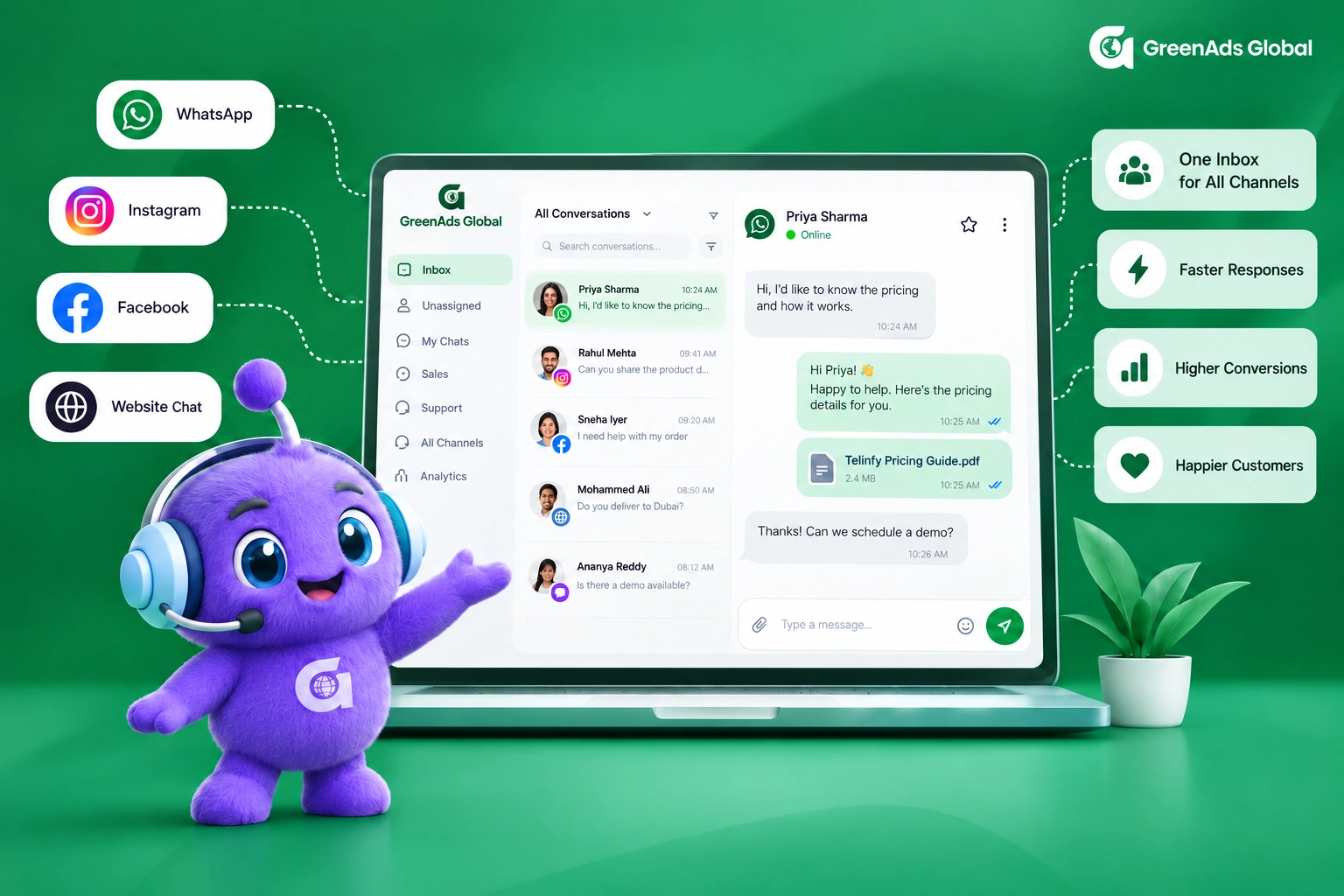
With GreenAds Global platform, RCS, SMS, and WhatsApp can all be managed from a single platform, eliminating the need to switch between multiple tools. Instead of sending every message through the same channel, segment your customer base and choose the channel that makes the most sense for each audience and use case.
Use RCS when rich, interactive content can drive greater engagement, while SMS or WhatsApp can handle messages where a simpler or more cost-effective format is sufficient. By matching each message to the right channel, you can bring down your overall messaging costs while still delivering the right experience to customers.
With the increase in RCS per-message pricing as of September 1st ,2026, segmenting your customers, choosing the right messaging channel (WhatsApp, RCS or SMS) and message type (promotional or transactional) for each audience matters more than ever.
Keep Customer Conversations Within Reach:
Campaign messaging is only one side of customer communication. When a customer responds, businesses also need a way to keep track of the conversation.
The GreenAds Global RCS messaging Inbox helps businesses monitor customer messages received through a linked Excel sheet, providing a simple way to maintain visibility over incoming responses and follow-up activity.
This becomes particularly useful when RCS campaigns are designed to generate responses rather than simply deliver information.
Measure Campaign Performance:
Businesses can see the number of messages submitted, delivered, read, sent and undelivered at a glance. This makes it easier to identify delivery issues, understand how many customers have received or viewed a campaign. The reporting view can also be filtered by date, allowing businesses to analyse specific campaigns or compare performance across different periods.
c) GreenAds Global RCS Messaging pricing
Following the latest RCS price change in India, as of September 1, 2026, Transactional RCS messages priced at ₹0.12 per message and Promotional RCS messages at ₹0.25 per message.
Here are the RCS pricing updates at a glance :
While the RCS messaging rate has increased, the pricing structure now provides a clearer distinction between promotional and transactional RCS messaging, helping businesses better understand and plan their RCS messaging costs based on the type of traffic they send.
There also comes another important factor that determines your final RCS messaging cost - called Tiered Messaging Pricing
Tiered messaging pricing means RCS messages are priced according to their message category, rather than applying one rate to all traffic. With separate pricing for transactional and promotional RCS messages, businesses can better estimate their messaging costs based on the type of communication they send.
d) GreenAds Global RCS Re-seller / White Label Messaging pricing
Become an RCS messaging service reseller and offer the RCS messaging service under your own brand. You get full control over pricing, branding and customer management while leveraging our robust infrastructure.
The pricing is designed to be more cost-effective as your messaging volume grows. Sign up for afree meeting to know the prices.
[[cta]]
12) CONCLUSION:
SMS was built to deliver a message. RCS chat was built to start an interaction.
As businesses look for better ways to engage customers through messaging, plain-text SMS can feel increasingly limited. RCS messaging adds rich media, interactive buttons, suggested replies, carousels and other features that turn a simple text into a more engaging messaging experience.
With GreenAds Global, we can provide you with the right RCS marketing strategy that take customers from “Discover” stage to “Convert and Retain” stage.
Read more : RCS Pricing September 2026 updates
See how CRM events become customer communication
Open each workflow to see the trigger, live-data check, communication action and stopping condition.
New lead qualification
Abandoned cart follow-up
Appointment communication
Payment or renewal reminder
Should the next message still be sent?
Open a customer state to see how current CRM or commerce data should change the workflow.
Lead is already qualified
Customer completed the purchase
Appointment was cancelled
Payment is complete
₹ 899
₹ 2,249
₹ 3,149
$30
$50
Frequently Asked Questions
1. What is RCS business messaging?
RCS Business Messaging is the application-to-person (A2P) of RCS for brands to communicate with their customers. This implies that businesses can send encrypted, interactive and media-rich campaigns or messages straight to a user's native mobile messaging program, without the need for third-party chat software. Businesses can use an RCS messaging service to send branded, interactive and media-rich messages directly to customers.
Core Features
Verified Branding: Displays company name, logo and blue tick to build trust.
Rich Media: Supports high-resolution images, videos and audio files.
Interactive Elements: Includes rich cards, CTA, swipeable product carousels and suggested replies.
Analytics: Provides a clear overview of sent, submitted, delivered, read, and undelivered messages, with reporting that can also be filtered by date.
2. What is RCS chat?
RCS chat is a protocol that enhances the person-to-person (P2P) messaging experience by offering richer interactions you’d typically find in a separate messaging app (such as WhatsApp) directly within the native messaging app on your smartphone.
3. Do businesses use RCS chat?
Yes, businesses use RCS chat to communicate with customers. It is officially called as RCS Business Messaging which businesses can access through an RCS provider like GreenAds Global. Through us, you can send verified, interactive and media-rich messages directly to your customers' native text apps. It can be used to share high-resolution images, product carousels and one-tap CTA with automatic fallback to SMS when RCS is unavailable.
4. What is the difference between RCS chat and RCS business chat?
RCS chat is a person-to-person (P2P) protocol for everyday chats between individuals. RCS Business chat is the application-to-person (A2P) version built for companies to send verified, branded and interactive content - such as carousels and action buttons - to customers at scale.
5. What is the pricing for RCS business messaging in India 2026?
The latest RCS pricing update in India took effect on September 1, 2026, with separate rates for promotional and transactional RCS messages.The rates applicable under the September 1, 2026 RCS pricing update are ₹0.12 per transactional message and ₹0.25 per promotional message.
6. How much does a transactional RCS message cost?
The rates applicable under the September 1, 2026 RCS pricing update are ₹0.12 per transactional message and ₹0.25 per promotional message.
7. How much does an RCS promotional message cost?
The rates applicable under the September 1, 2026 RCS pricing update are ₹0.25 per promotional message.
8. Who are the best RCS messaging service providers 2026?
The best RCS service providers in India 2026 include GreenAds Global, Infobip, Sinch, GupShup, Twilio.
GreenAds Global stands out as the best RCS messaging service provider by combining branded, verified RCS messaging with rich media cards, carousels, CTA buttons, instant replies, real-time analytics and API integrations, enabling businesses to create complete customer journeys within the native messaging app. Its platform supports promotional, transactional and OTP use cases across industries such as e-commerce, finance, healthcare, EdTech and more. Our customer success stories demonstrate measurable results - for example, Apollo Adlux Hospital achieved 40% fewer missed appointments, Renault saw 60% more test-drive bookings and Kalyan Silks achieved a 3.5x conversion rate with RCS campaigns.
With 1000+ brands onboarded with our simplified RCS registration, GreenAds Global offers businesses a scalable RCS messaging platform to move beyond basic SMS and build richer customer conversations.
[[cta]]
9. What is bulk RCS messaging?
Bulk RCS (Rich Communication Services) messaging lets companies send branded, interactive and media-rich messages to large lists of mobile users via native text apps. It upgrades traditional SMS by adding logos, high-resolution images, carousels and clickable action buttons.
With GreenAds Global RCS messaging platform, you can send bulk RCS campaigns or messages to up to 15 lakh recipients at a time. This allows you to reach a large customer base cost-effectively without relying on external apps.
10. Why is RCS chat better than SMS?
The limitations with SMS compared to RCS chat includes:
- Limited character and message format: Standard SMS messages are limited in length - below 160 characters only and is primarily text-based, with little support for rich media or interactive content.
- No rich branding: Businesses have limited opportunities to display their logo, brand identity or verified sender information.
- Limited visibility and engagement: SMS generally doesn't provide the same level of engagement signals as RCS, such as read receipts and typing indicators. It also doesn't support interactive toggle buttons, making it difficult for customers to view products, images, videos, maps or other interactive content directly within the message.
- Limited conversions: With SMS being primarily one-way communication, customers have fewer opportunities to interact directly with the message, which can make it harder to drive immediate action and conversions.
You may Also like
Book a One-to-One Meeting With Our Product Expert
Have questions? We have got answers! Connect with our product expert for a personalized demo session and discover the best messaging solutions for your business.
.svg)
